
Welcome back, Learners! In this blog, we'll learn about file permissions. As in Linux file permissions play an important role in maintaining security and control access to files and directories.
File Permissions:-
Types of Permissions on any file:-
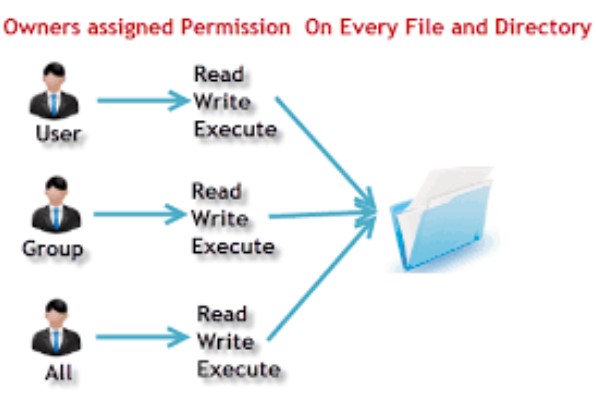
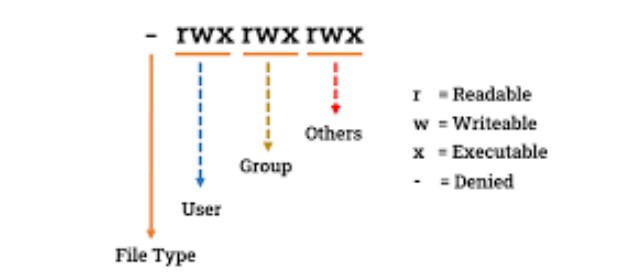
READ(r) (4):- Allows users to view the content of the file.
WRITE(w) (2):- Allows users to modify the content of the file.
EXECUTE(x) (1):- Allow users to execute a file.
Three Categories of Users
Owner/User:- Permissions are assigned by the owner of the file or directory.
Group:- Permissions used by members of the group.
Others:- Permissions for all other users on the system(neither the owner nor in the group).
Changing the Owner, Group, and Permissions of a file
Changing Ownership:-
To change the owner of a file "chown" command is used.
The word "chown" stands for "change owner". By changing the ownership of a file or directory, you can transfer ownership from one user to another, effectively assigning a new user account full control over the file or directory.
Command:-
sudo chown <user> <file/directory>Use sudo if having permission error.Note:- If you use the above command for any directory then it will change the owner for only that directory but the owner for contents in that directory is not changed. To do the same use the following command.
chown -R <user> <directory>"-R" or "--recursive" option used when need to change the ownership of a directory and all its contents recursively.Example:-
Changing Group Ownership:-
To change the group ownership for any file or directory "chgrp" command is used.
The word "chgrp" stands for "change group".
Command:-
sudo chgrp <new_group> <file/directory>sudo chgrp -R <new_group> <file/directory>"-R" or "--recursive" option used when need to change the group ownership of a directory and all its contents recursively.Example:-
Modifying Permissions:-
To change or modify file permissions we use "chmod" command.
The word "chmod" stands "change mode". As we know file permissions specify who can read, write, and execute files. Using "chmod" command we can grant or revoke permissions for owner, group and other users.
Command:-
sudo chmod <new_permissions> <file/directory>sudo chmod -R <new_permissions> <directory>
We can either use symbolic notation or numeric notation to modify permissions.
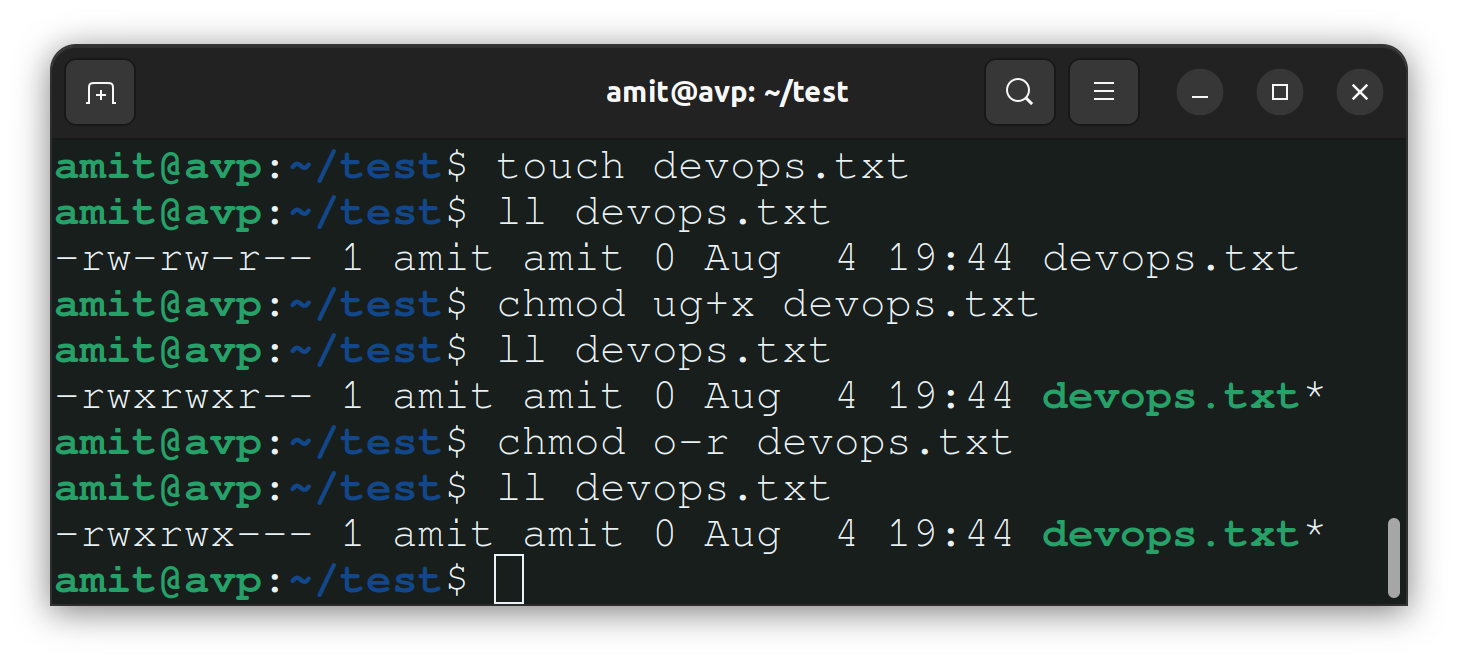
1- Symbolic Notation:-
Use '+' for adding permission
Use '-' to remove permissions
Example:-
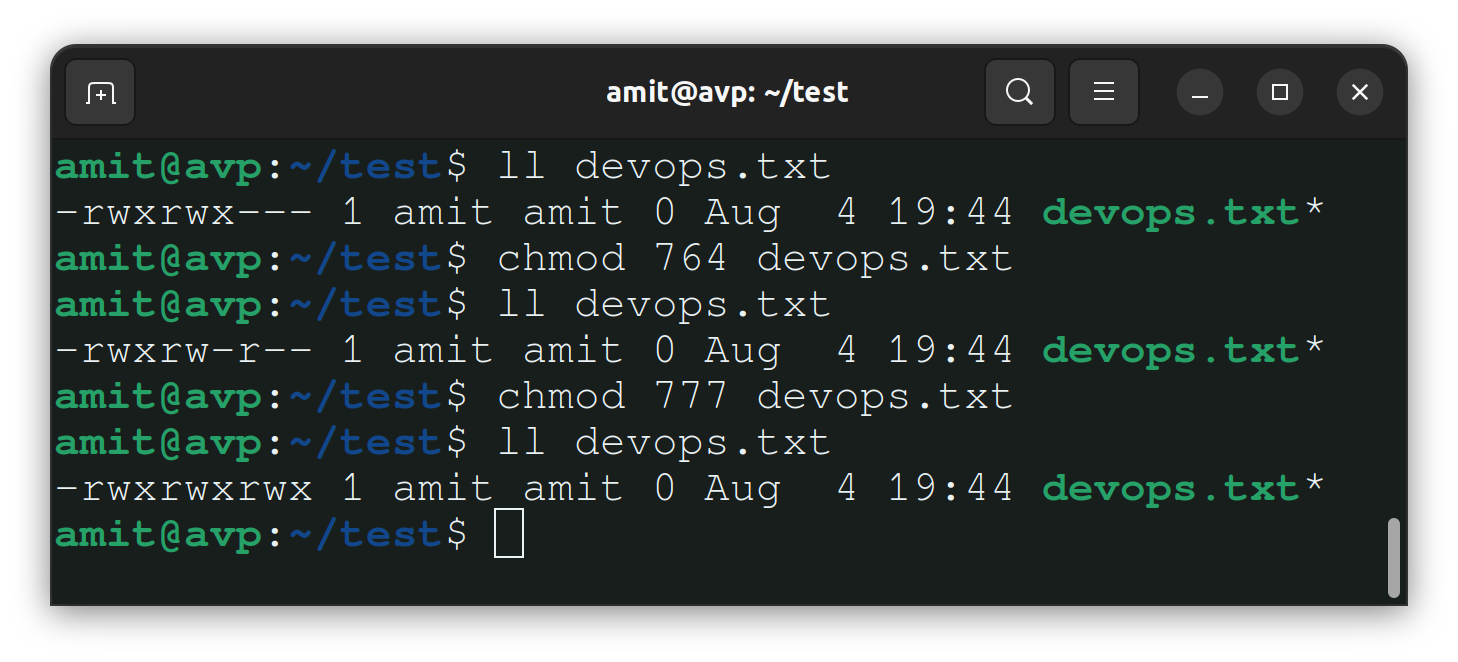
2- Numeric Notation:-
Read - 4
Write - 2
Execute - 1
Example:-
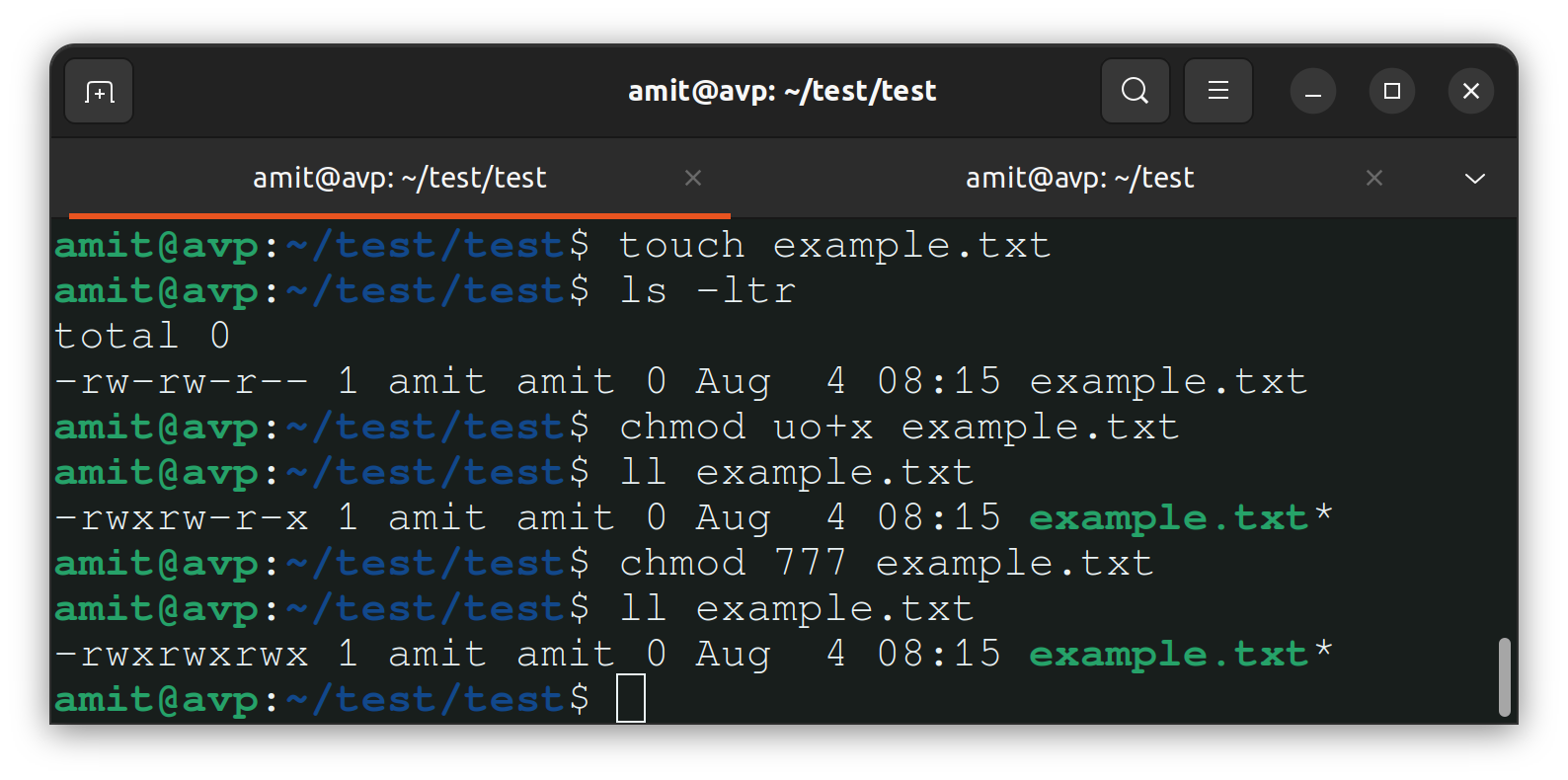
Task:- Create a simple file and do ls -ltr to see the details of the files
Follow below steps
Create a file "example.txt" using
touch example.txtcommand.Check the default permissions assigned to the file by
ls -ltrcommand.Change the permissions by symbolic or numeric notation
Access Control List(ACL):-
ACL in Linux is used to provide more fine-grained control over file and directory permissions. ACLs define permissions for multiple users and groups beyond the basic read, write, and execute permissions. For example, you can grant the specific user(s) or group(s) the ability to read and write to a file, while denying those permissions to others.
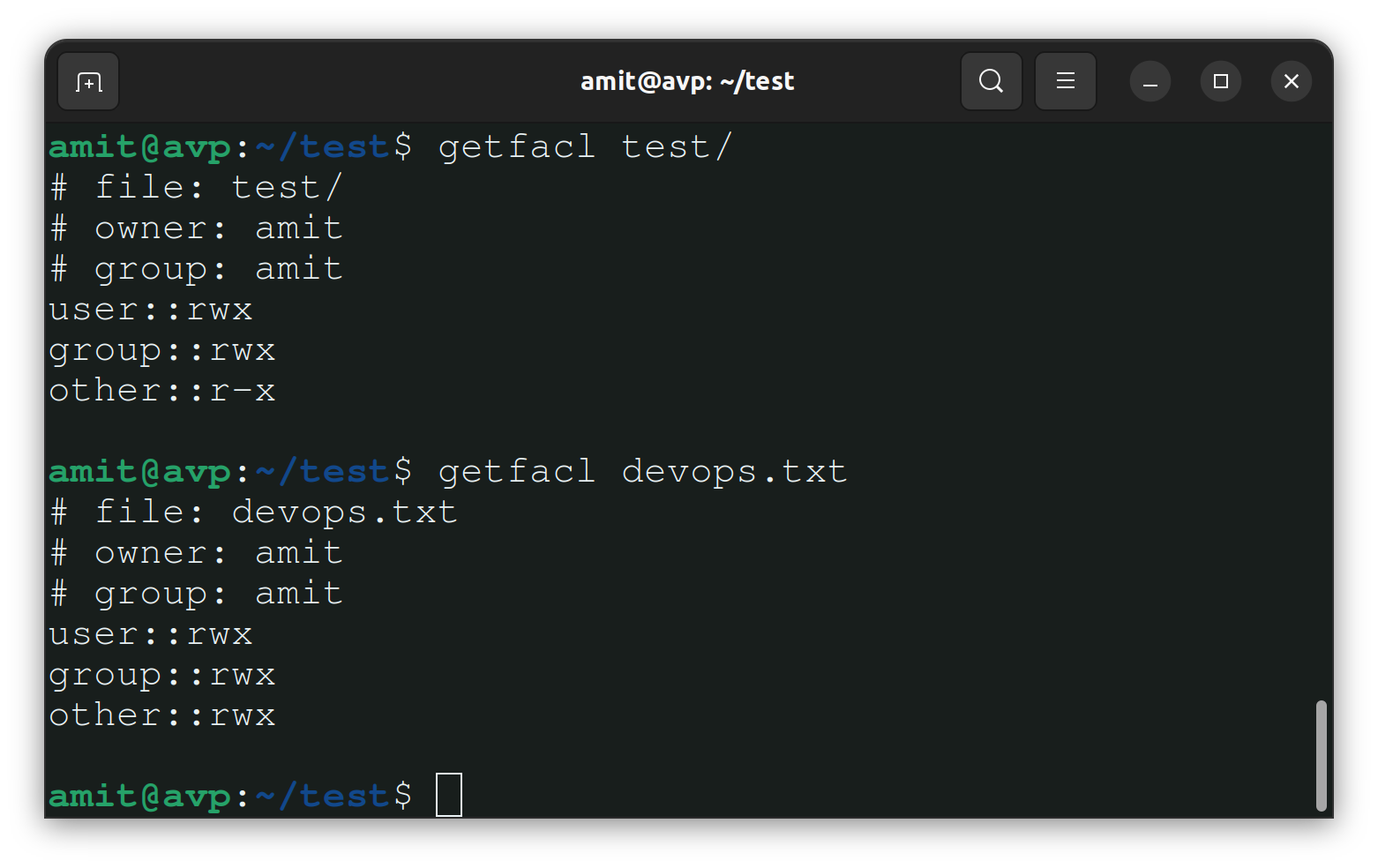
The ACL entries are stored as an additional layer of information along with the traditional file permissions. When a file or directory has ACL entries, the "getfacl" command can be used to view the ACL entries and the "setfacl" command is used to modify or set new ACL entries.
Viewing ACLs:-
To view the ACLs for a file or directory, use the "
getfacl" command:getfacl <file/directory>Example:-
Modifying ACLs:-
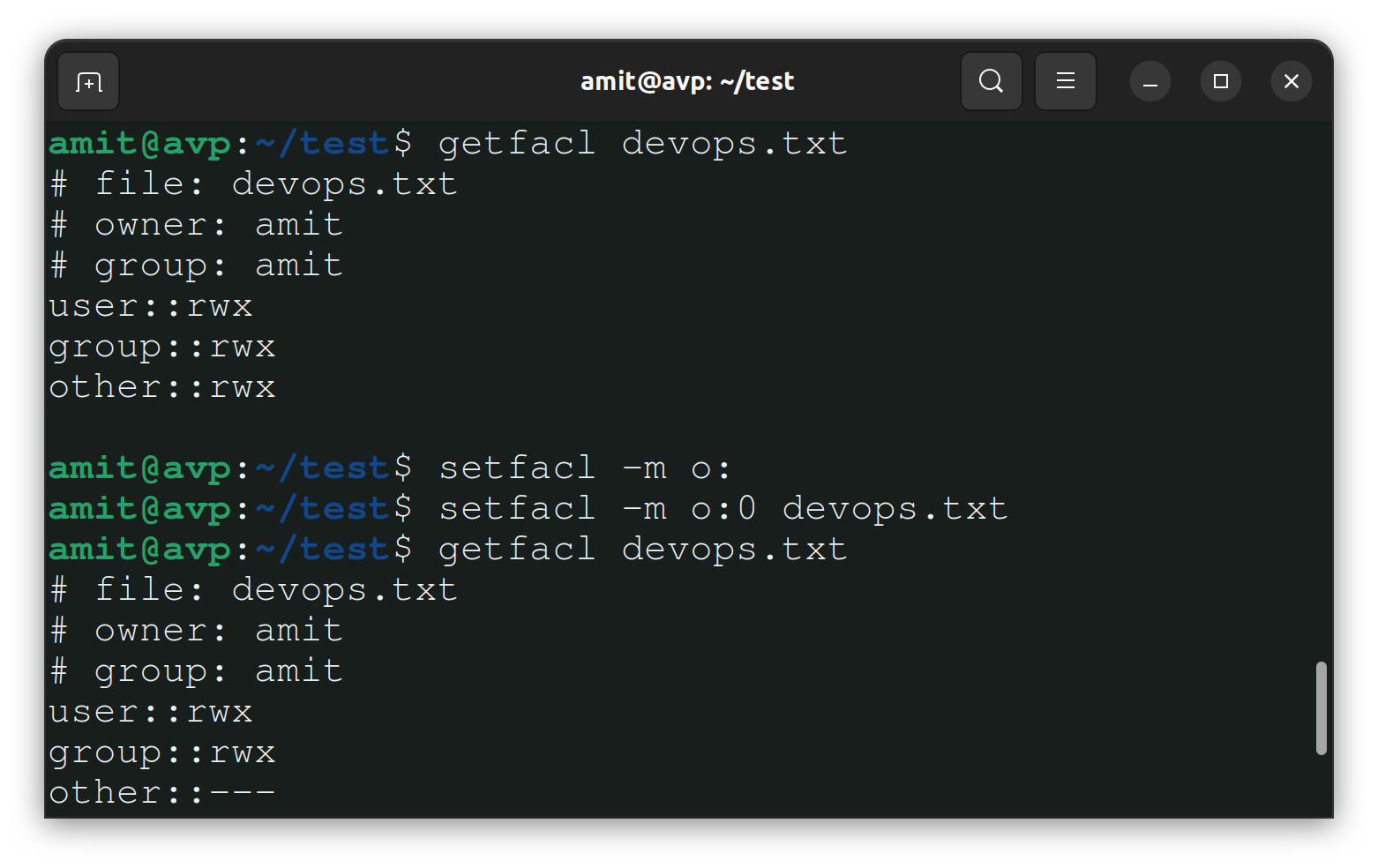
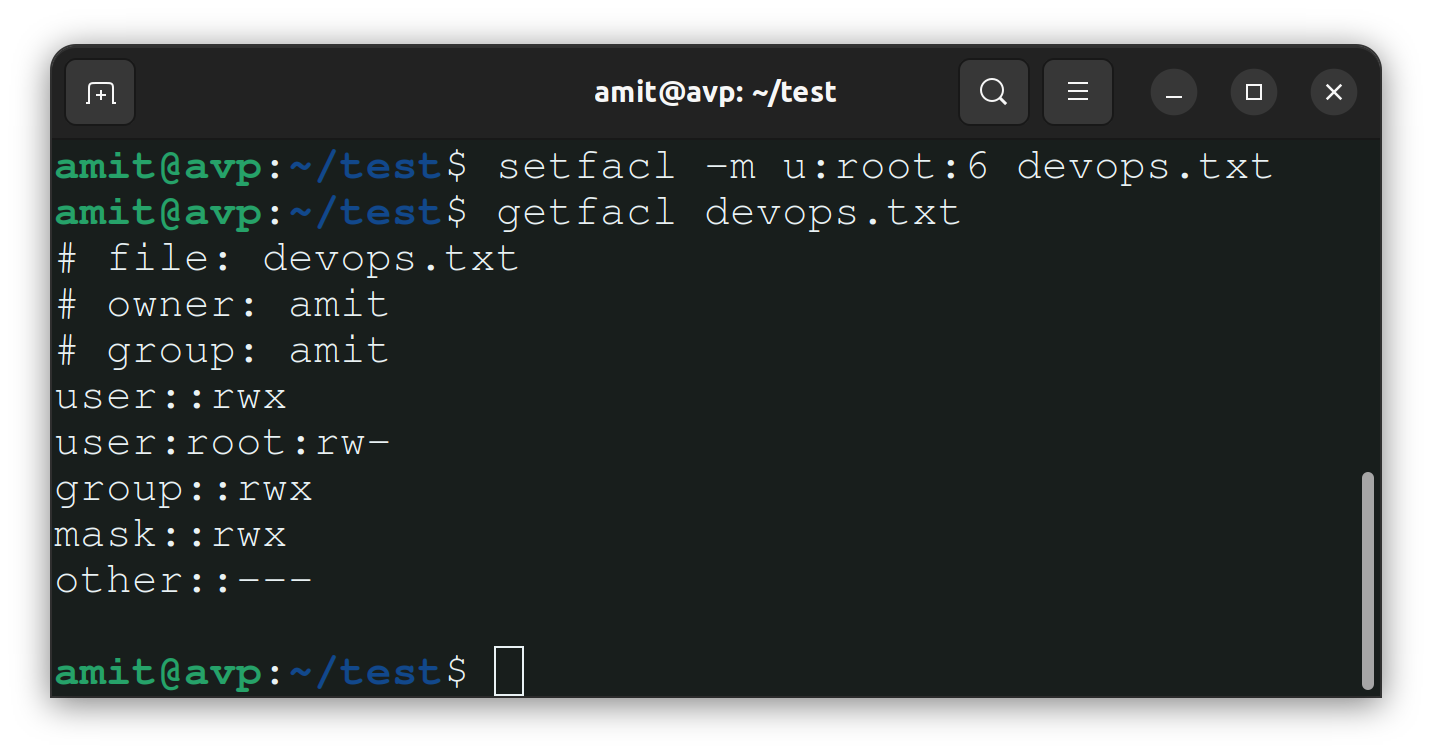
To set or modify ACLs for a file or directory, use the "
setfacl" command:We can use "
-m" option for modifying or setting ACLs and "-x" option for removing ACLs.setfacl -m u:USER:permissions <file/directory>setfacl -m g:GROUP:permissions <file/directory>setfacl -x u:USER:permissions <file/directory>Example:-
Thank you so much for taking the time to read till the end! Hope you found this blog informative and helpful in understanding the concept of File Permissions and ACLs.
Feel free to explore more of my content, and don't hesitate to reach out if need any assistance from me or in case of you have any questions.
Find me on:- Hashnode LinkedIn Github
Happy Learning!


