Day 89- 90DaysOfDevOps
Project 8- Mounting an S3 Bucket on Amazon EC2 / Local Linux System with S3FS

Hey learners! Welcome back. This is the eights project of this challenge. In this project, we will mount AWS S3 Bucket on Local Linux OS using S3FS.
S3FS allow local Linux, Mac-OS, and FreeBSD to mount an S3 Bucket via FUSE(Filesystem in USERspace). S3FS makes us to operate files and directories in S3 bucket like a local file system. Let's start...
Steps:-
IAM User Setup
Configure AWS CLI
Mount S3 Bucket using S3FS
Access S3 Bucket data
1- IAM User Setup
Login to AWS management console and navigate to "IAM" service
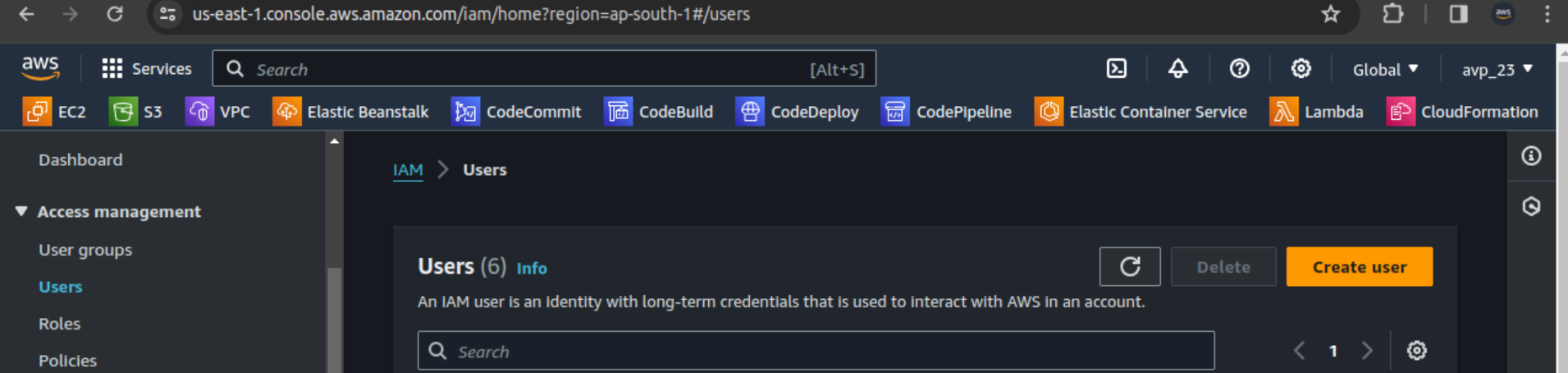
Select users from left pane and click "Create user"
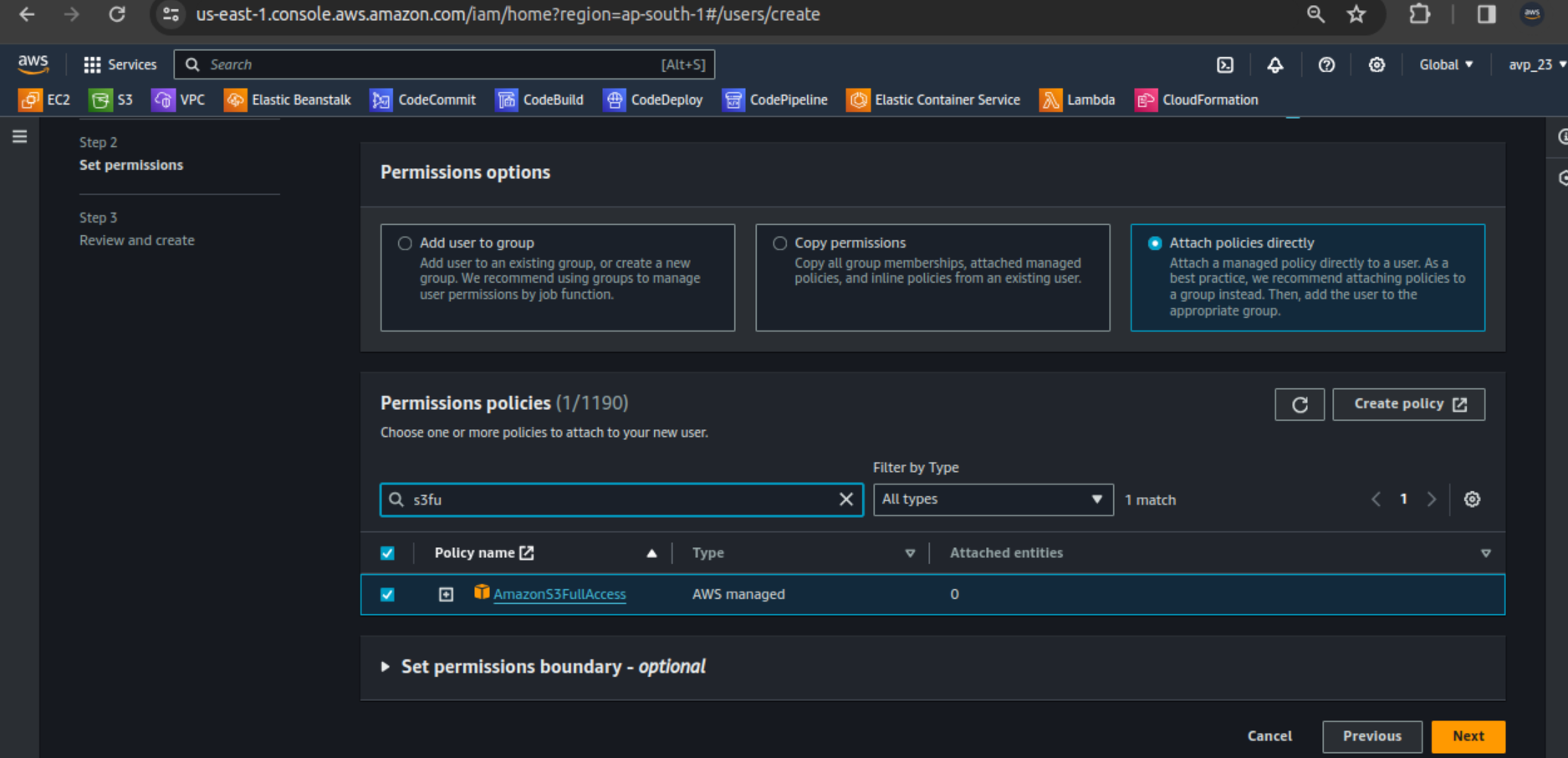
Enter the Username and click "Next". Select "Attach policies directly and search for "s3fullaccess" and select. Click "Next".
Review and Create user.
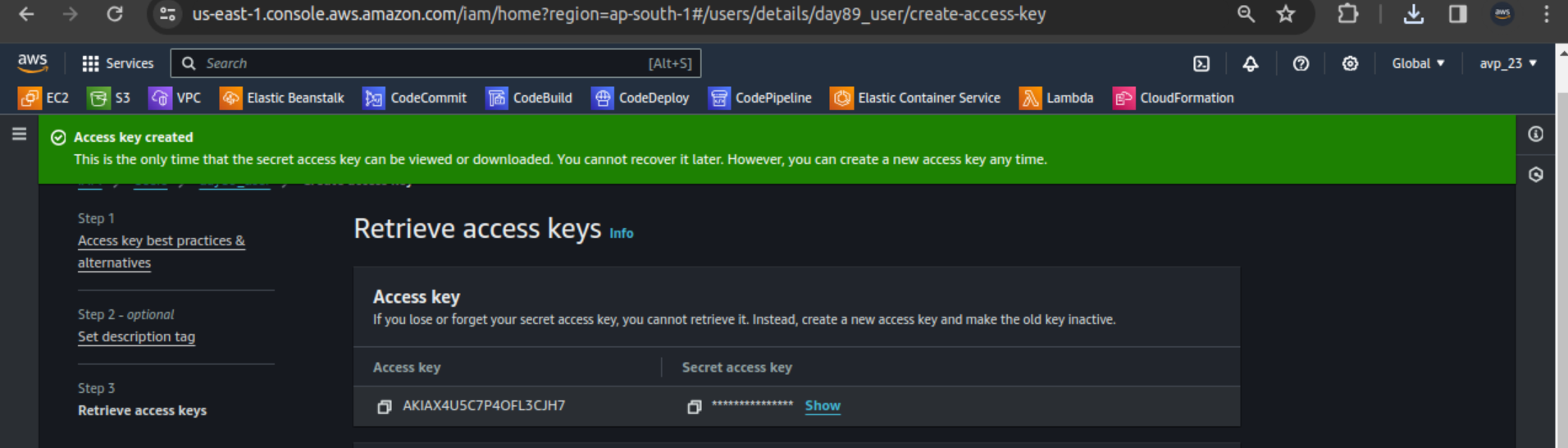
Select the user created. Go to "Security credentials" tab and select "Create access key". Save the access and secret key for further use.
2- Configure AWS CLI
Login to Local Linux system (Ubuntu) and install AWS CLI as follows
  sudo apt-get update
  sudo apt install awscli
I have already installed AWS CLI. To configure use
aws configurecommandUse the downloaded Access and Secret access key for created user
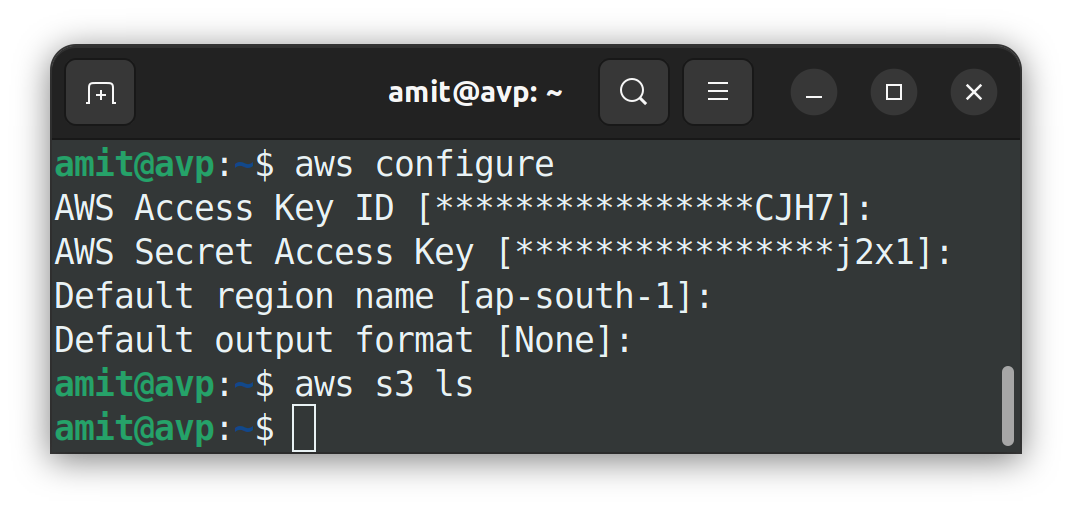
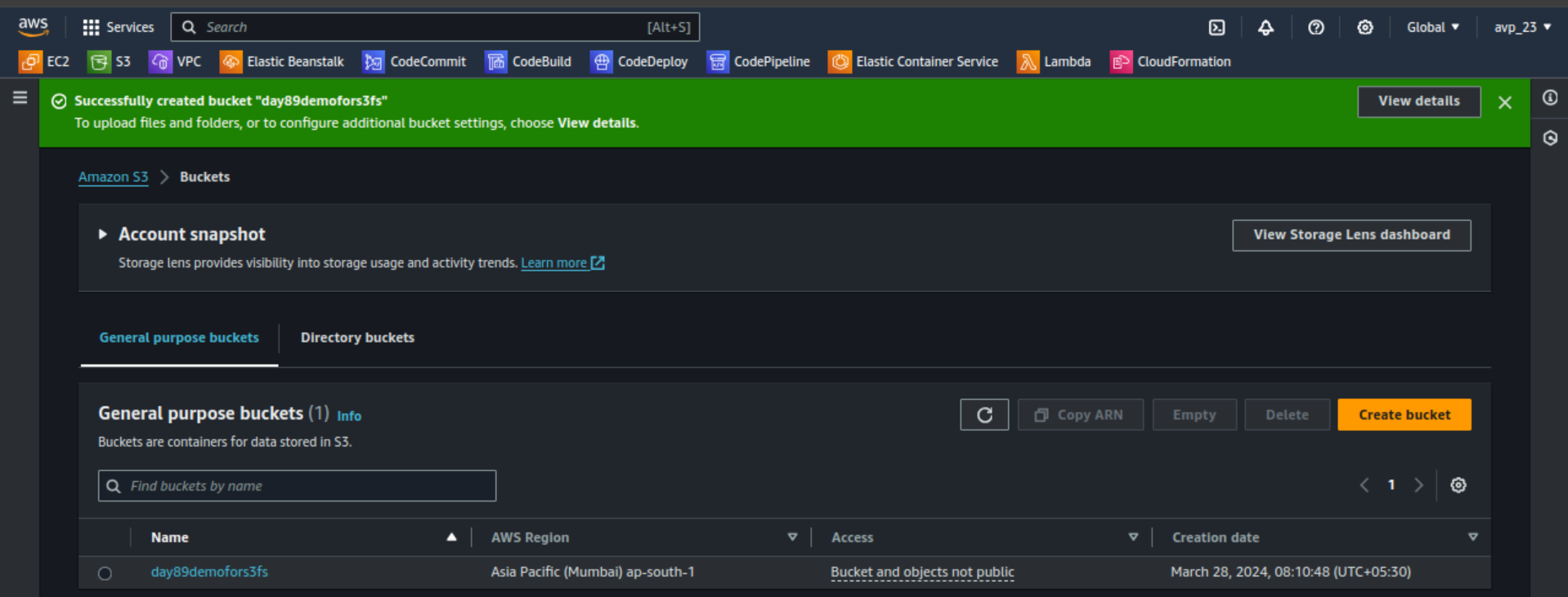
I don't have any bucket. We'll create one bucket from AWS management console.
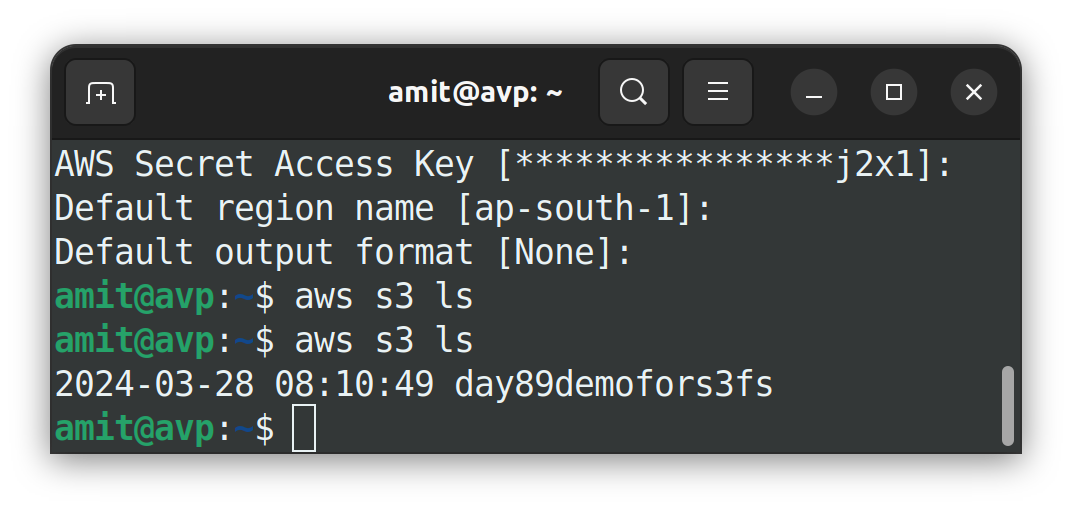
Now list the S3 buckets from CLI
3- Mount S3 Bucket using S3FS
First install S3FS using
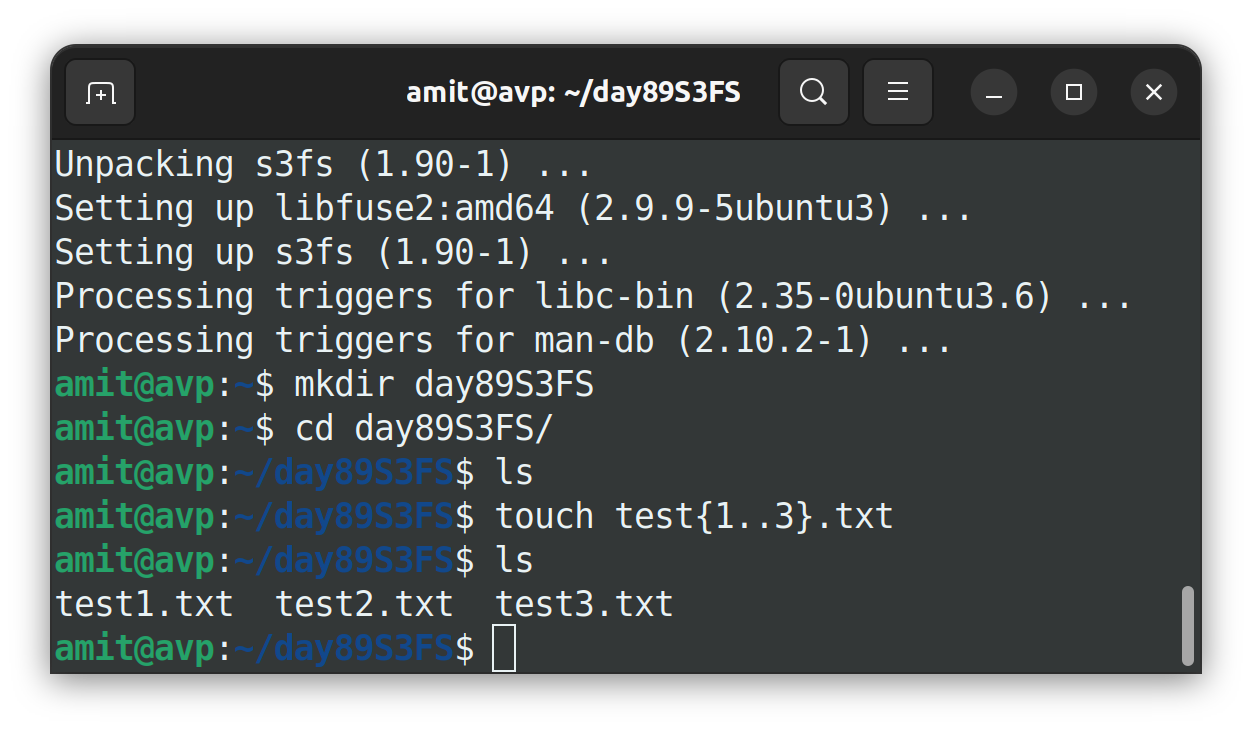
sudo apt install s3fscommand.Create some files for testing with different directory.
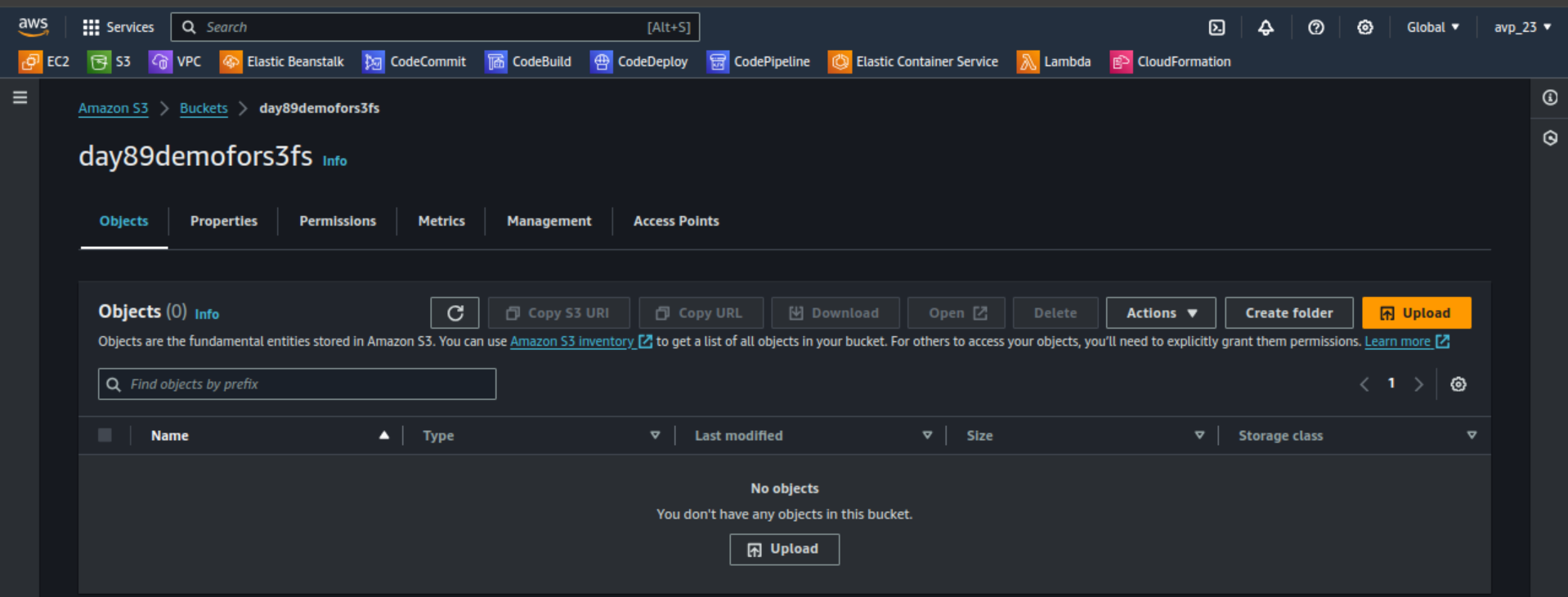
We don't have any files in created S3 bucket
We have to synchronise files between local directory and the S3 bucket created using
aws s3 sync <local-directory> <s3-bucket>command.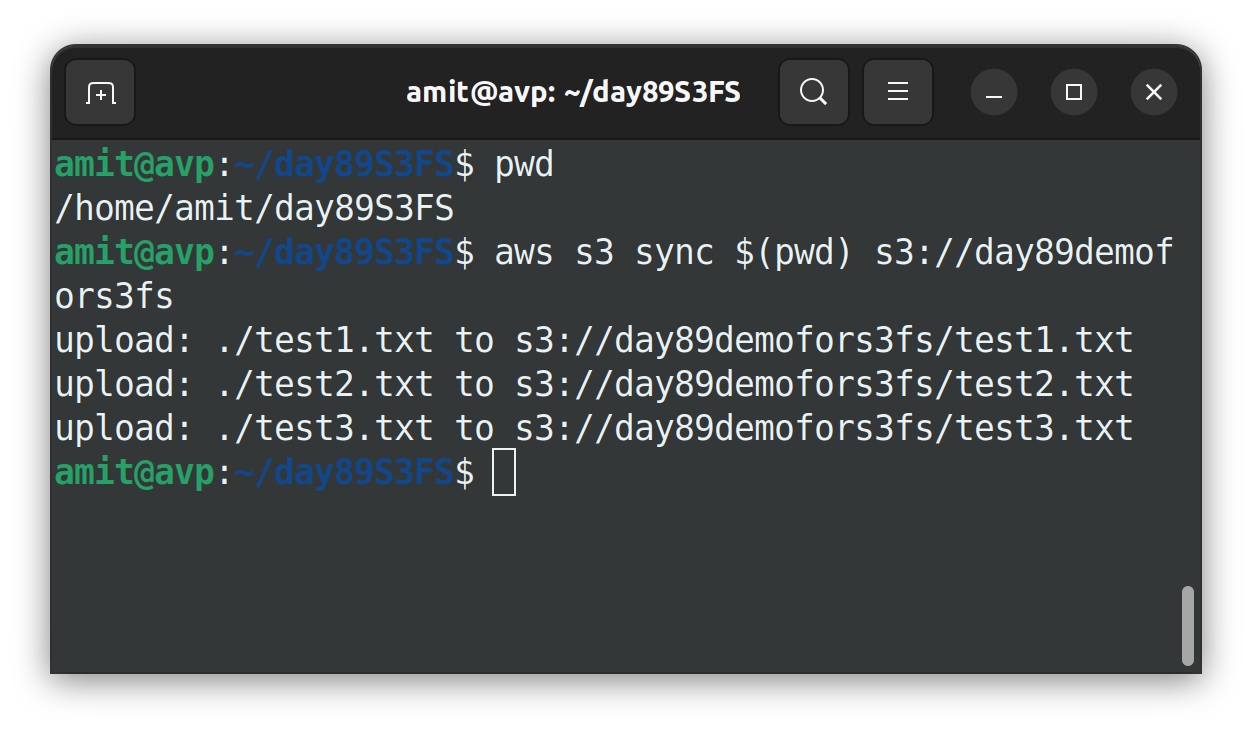
Files are uploaded from local directory to S3 bucket
4- Access S3 Bucket data
Go to AWS management console and check the S3 bucket's Object tab to see the uploaded files.
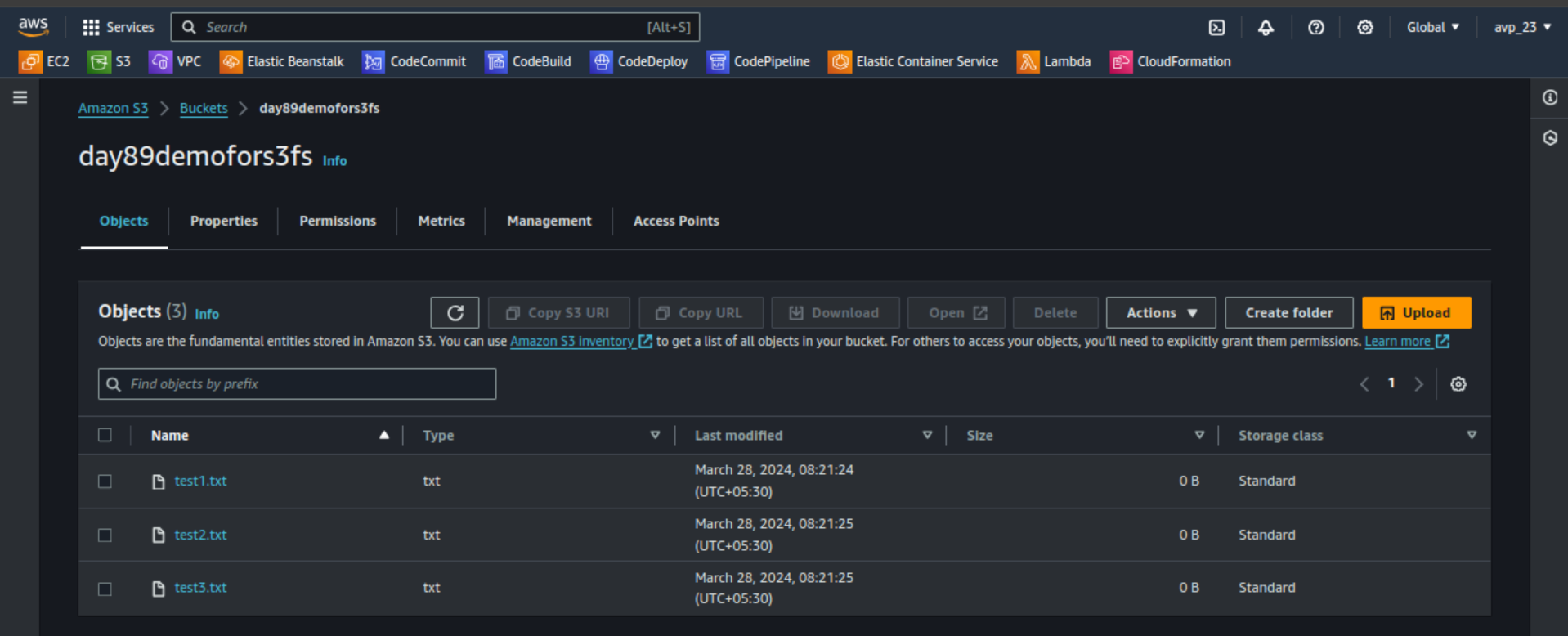
Files are uploaded successfully.
What if we add some files directly from console and want that files in local directory??
I have added one screenshot from AWS management console in bucket
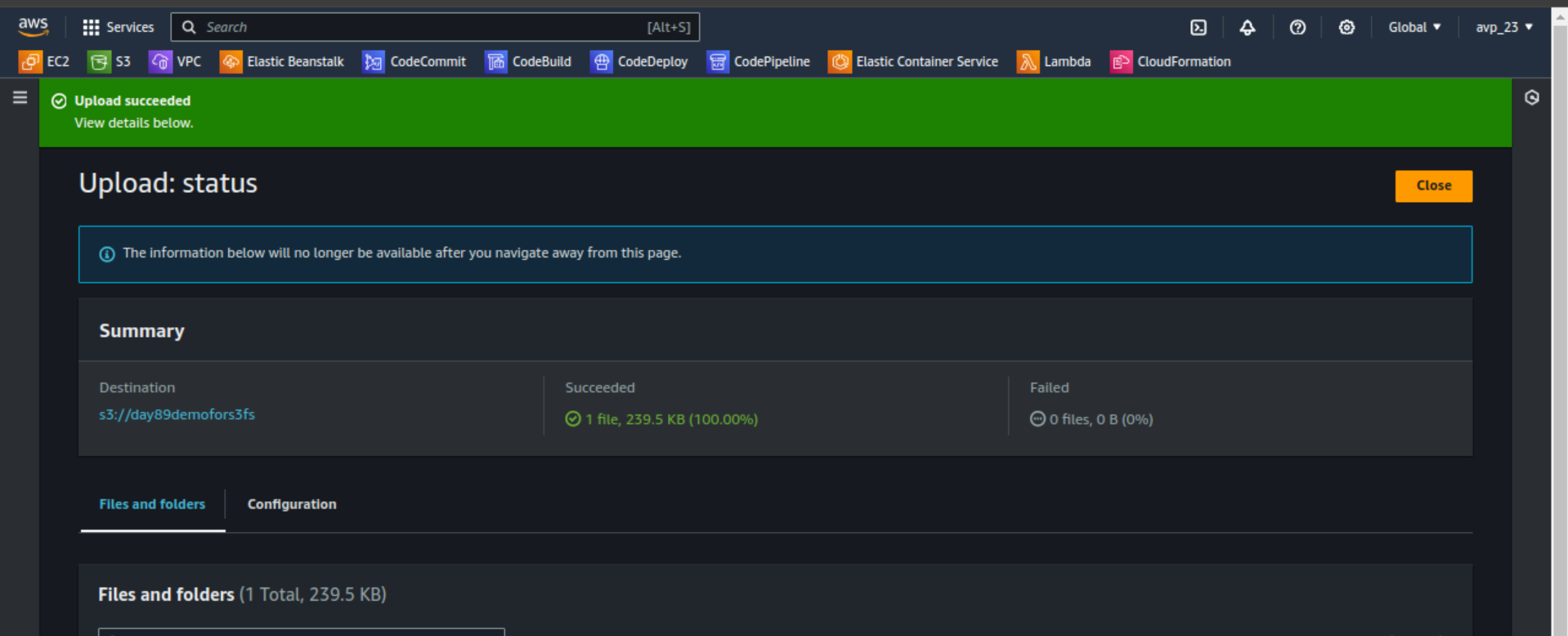
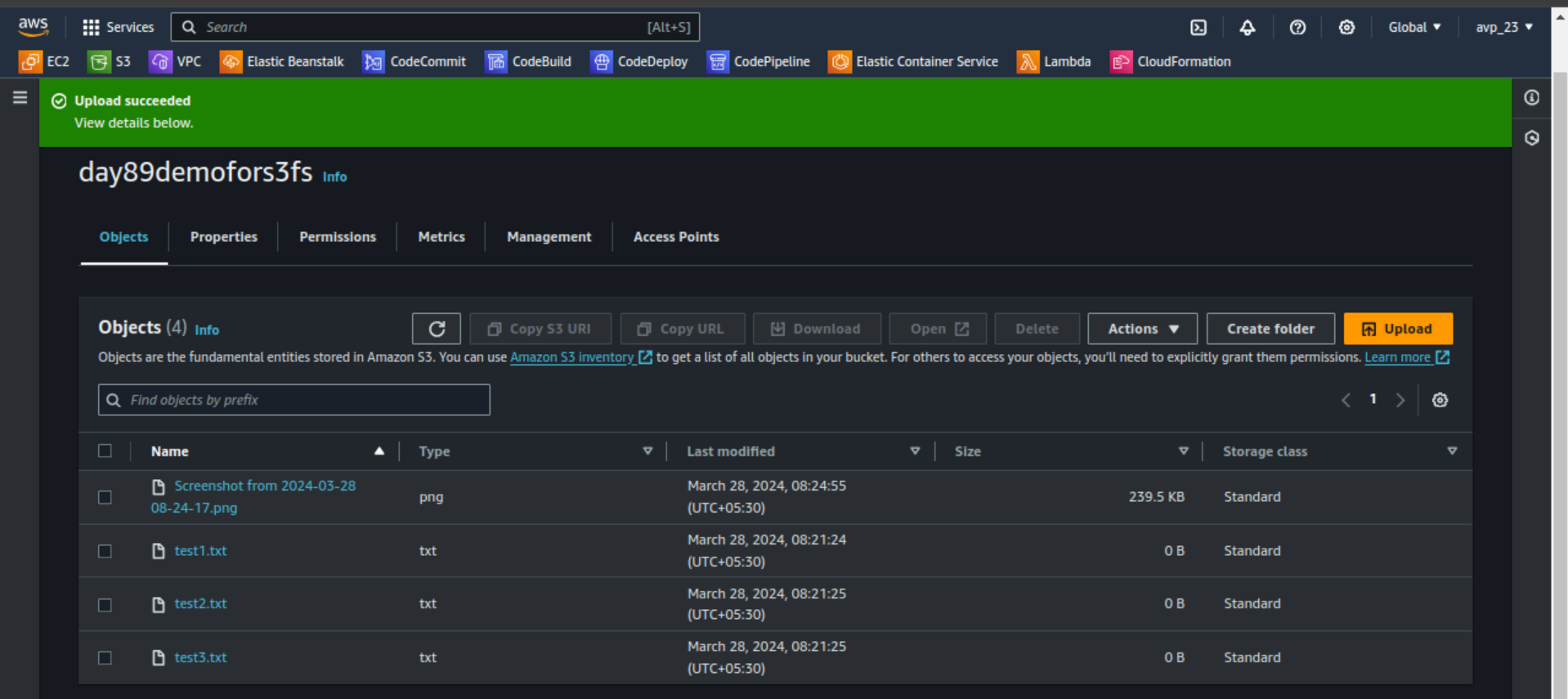
Now use the following command to sync
aws s3 sync <s3-bucket> <local-directory>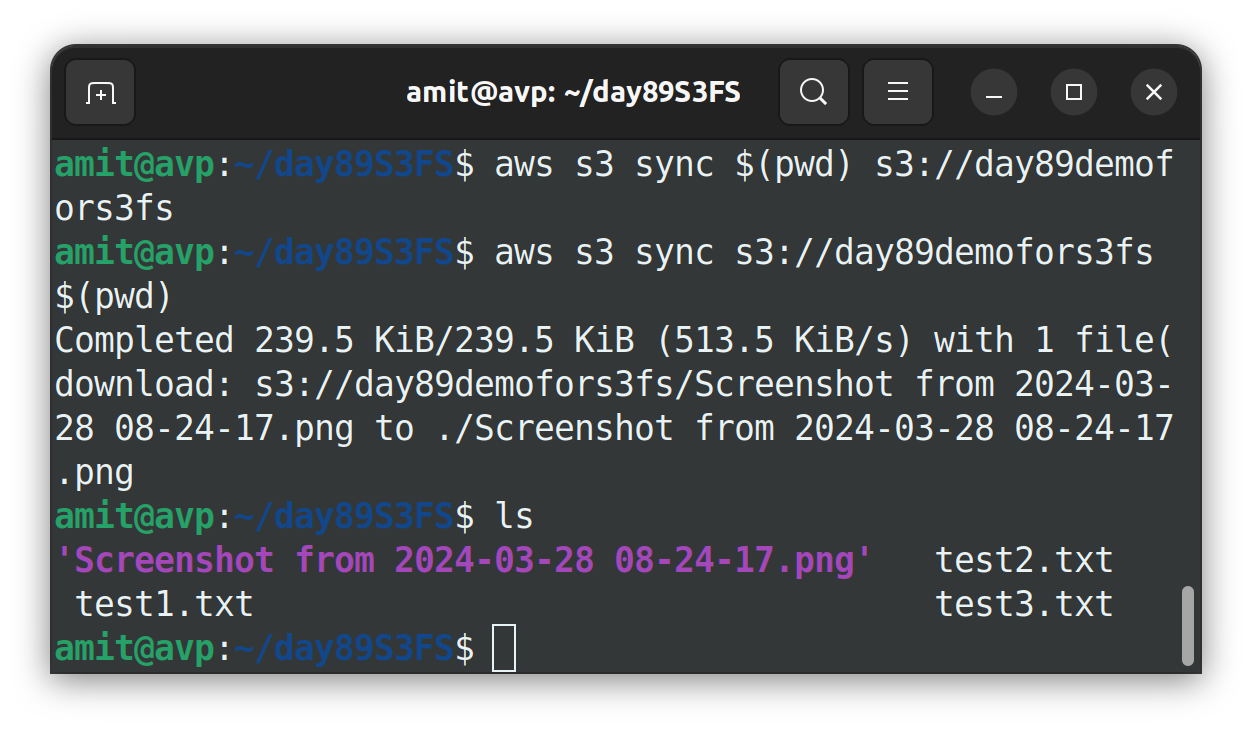
This is how we can use S3FS file interface to mount S3 buckets with local Linux Operating Systems.
Thank you so much for taking the time to read till the end! Hope you found this blog informative.
Feel free to explore more of my content, and don't hesitate to reach out if need any assistance from me or in case of you have any questions.
Find me on:- HashnodeLinkedInGithub
Happy Learning!


