Linux is an open-source and widely used OS developed in late 1991 by Linus Torvalds.
Linux is known for its Stability, Flexibility, and Security, making it a popular OS for Servers, Desktops, Embedded Devices and more.
Linux is widely used in web hosting, cloud computing, networking, etc. Additionally, it serves as the foundation for many technology stacks and software applications due to its versatility and reliability.
Architecture:-
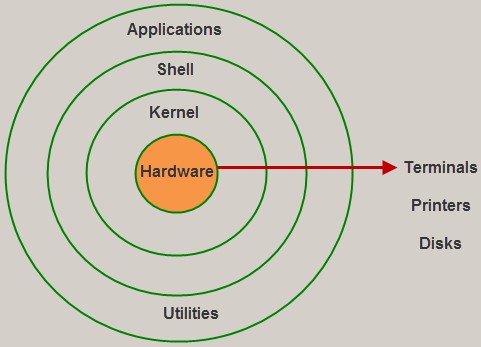
Linux OS Architecture consists of the following layers:
Hardware Layer:- It consists of devices like RAM, HDD, CPU etc. We can not interact directly with the hardware**.**
Kernel:- It is a special code that is the core component of Linux OS. It directly interacts with hardware and provides low-level service to user mode's comp[onents. It is fully developed in C language and file system architecture.
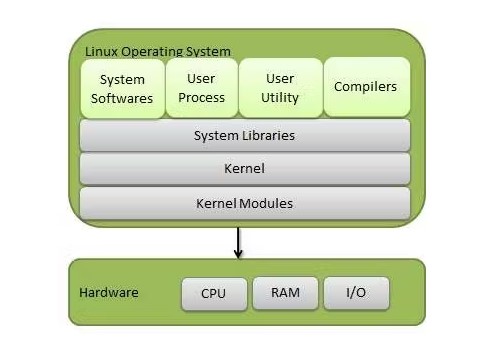
Shell:- Shell is an interface medium between user mode and Kernel mode. Any program can interface with Kernel through Shell. Shell takes command from Terminal(User mode) and executes the function of Kernel.
Utilities:- This is the upper layer of OS where the application or program runs. In the user layer, various users, applications, software and program can run at the same time.
Linux Distributions:-
Linux distributions are fully OS which is a collection of Linux kernels and package management systems. It includes Linux, GNU tools, Software and a collection of libraries.
Some popular distributions of Linux are as follows:-
Debian
Ubuntu
Fedora
Kali Linux
OpenSUSE
Linux Mint
Arch Linux etc.
Basic Commands Of Linux:-
Linux offers an excess of commands that allow users to interact with the operating system and perform various tasks. Here are some of the most basic and commonly used commands:
pwd (Print Working Directory): Displays the current working directory, i.e., the directory you are currently in.
ls (List): Lists files and directories in the current directory.
cd (Change Directory): Changes the current directory to the specified directory.
mkdir (Make Directory): Creates a new directory.
rmdir (Remove Directory): Removes an empty directory.
rm (Remove): Removes files or directories. Be cautious, as it is a powerful command.
touch (Create Empty File): Creates an empty file.
cp (Copy): Copies files or directories.
mv (Move): Moves files or directories. It can also be used to rename files/directories.
cat (Concatenate): Concatenates and displays the content of a file.
sudo (Super User Do): Executes a command with superuser (administrative) privileges.
Day2- Tasks
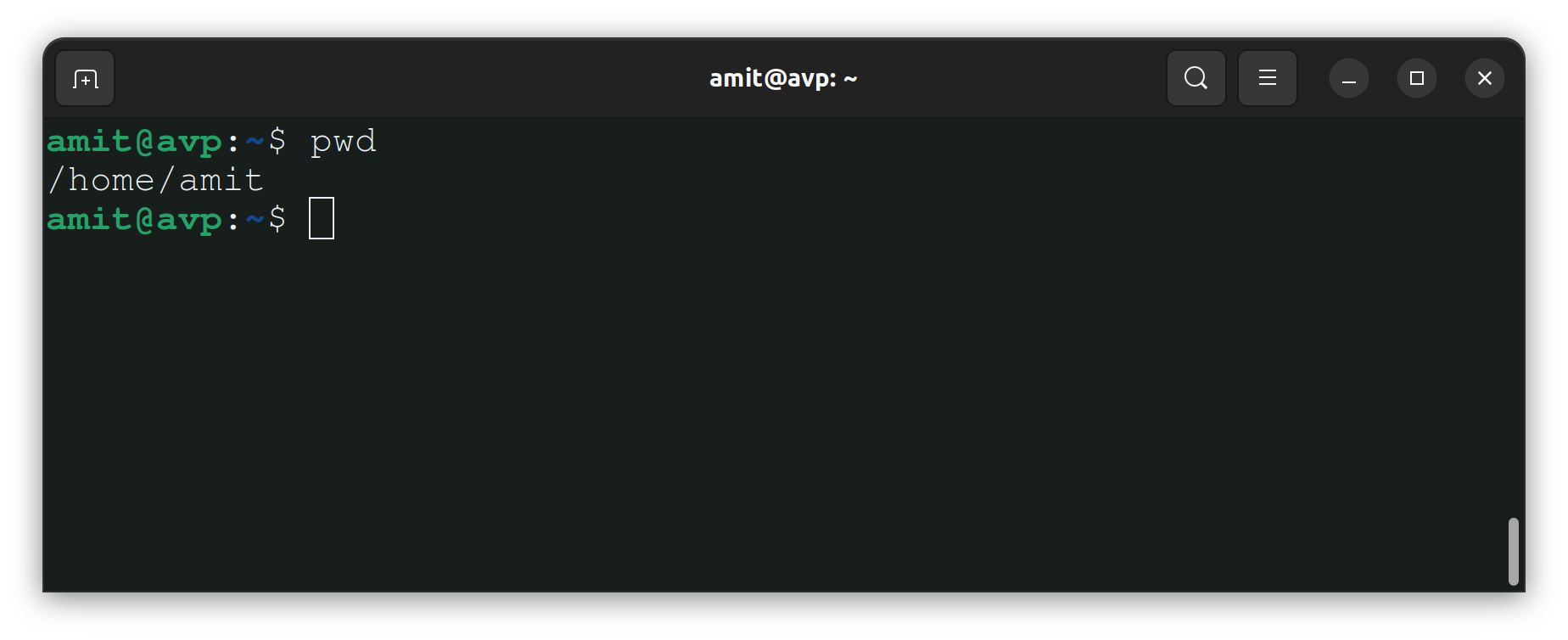
Check Your Present Working Directory:- To check your present working directory we'll use the pwd command.
Command:- pwd
Output:-
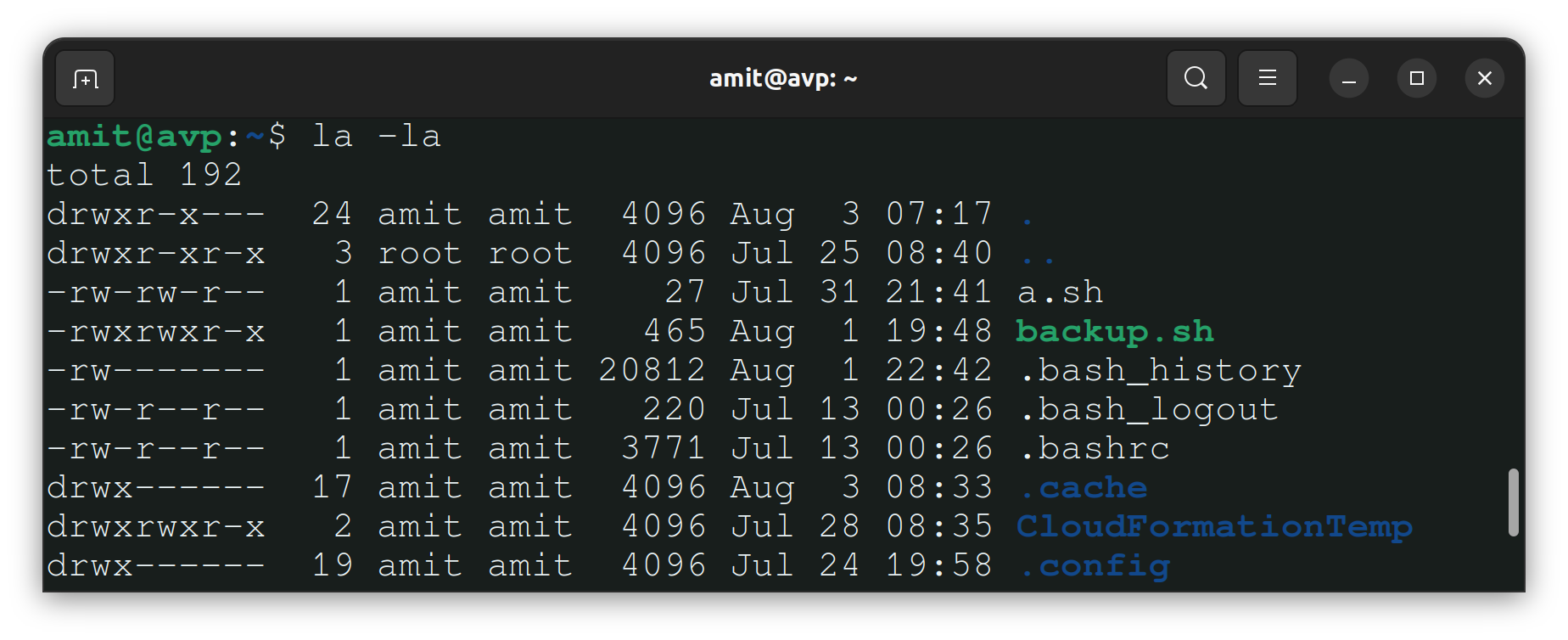
List All Files and Directories, Including Hidden Ones:- To list all the files and directories we use ls command but if we do ls hidden files are not shown, so for showing hidden files we have to use -a flag with ls command.
Command:- ls -a
Output:-
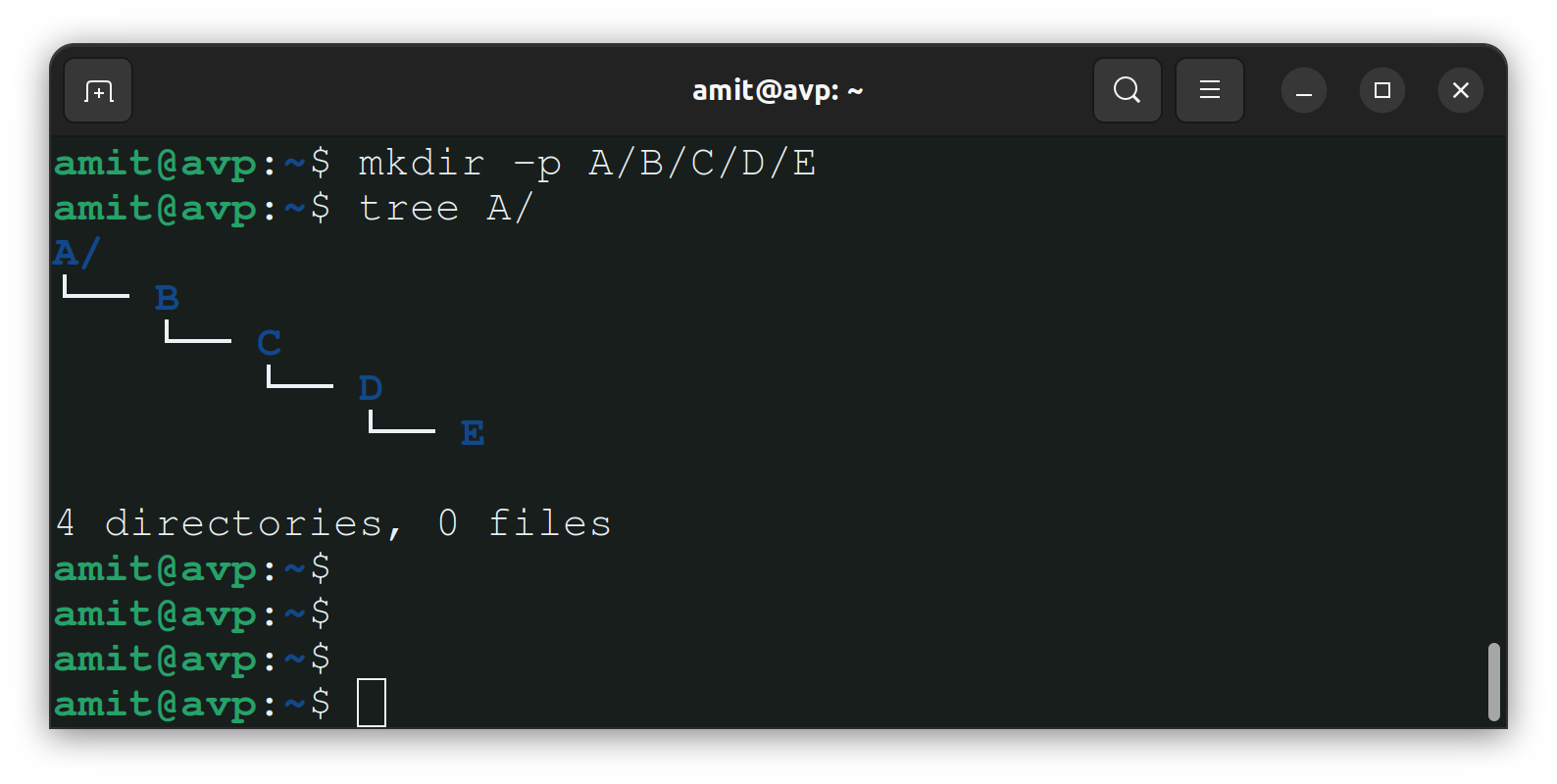
Create a nested directory A/B/C/D/E:- With mkdir command, we can create a new directory but if you need to create a Nested/Parent directory then we use -p flag with the command.
Command:- mkdir -p A/B/C/D/E
Output:-
Thank you so much for taking the time to read till the end! Hope you found this blog informative and helpful in understanding the fundamentals of Linux.
Feel free to explore more of my content, and don't hesitate to reach out if need any assistance from me or in case of you have any questions.
Find me on:- Hashnode LinkedIn
Happy Learning!


