Day18- 90DaysOfDevOps
Docker Project for DevOps Engineers Part 2

Hey Learners! Welcome back. As we already covered the concept of Dockerfile, how to push create an image from Dockerfile and push that image on Docker Hub in the previous blog. In this blog, we'll move forward and dig more into other Docker concepts like Docker Compose. Let's get started.
Docker Compose:-
Docker Compose is a tool for Docker to set up multi-container environments. With Docker Compose, we can create a YAML file to define the services and with a single command, can spin everything up or tear it all down.
What is YAML?
YAML is a human-readable data serialization language that is often used for writing configuration files.
Depending on whom you ask, YAML stands for yet another markup language or YAML ain’t markup language (a recursive acronym), which emphasizes that YAML is for data, not documents.
YAML files use a .yml or .yaml extension.
Docker Compose Commands:-
docker-compose command provides several subcommands to manage Docker Containers with docker-compose. Some of them are as follows
docker-compose buildBuilds all the services mentioned in the .yml file. To build specific services use thedocker-compose build <service-name>command.docker-compose upCreates containers equal to specified services in .yml file. To run containers in detached mode use -d option. If you want to create a container only for specific services from .yml file then use thedocker-compose up -d <service-name>commandIf want to stop and delete containers, network and associated images for the services use the
docker-compose downcommand.docker-compose pscommand is used to list all the containers created for specified services in .yml file.docker-compose exec <service-name> <command>command used to execute a command to the running container(service-name).docker-compose startto start all the containers for specified services.docker-compose stopto stop all the containers for specified services.docker-compose restartto restart all the containers for specified services.docker-compose pauseto pause all the containers for specified services.docker-compose unpauseto start all paused containers for specified services.docker-compose rmto remove all stopped containers for specified services.
Task 1:-
Learn how to use the docker-compose.yml file, to set up the environment, configure the services and links between different containers, and also to use environment variables in the docker-compose.yml file.
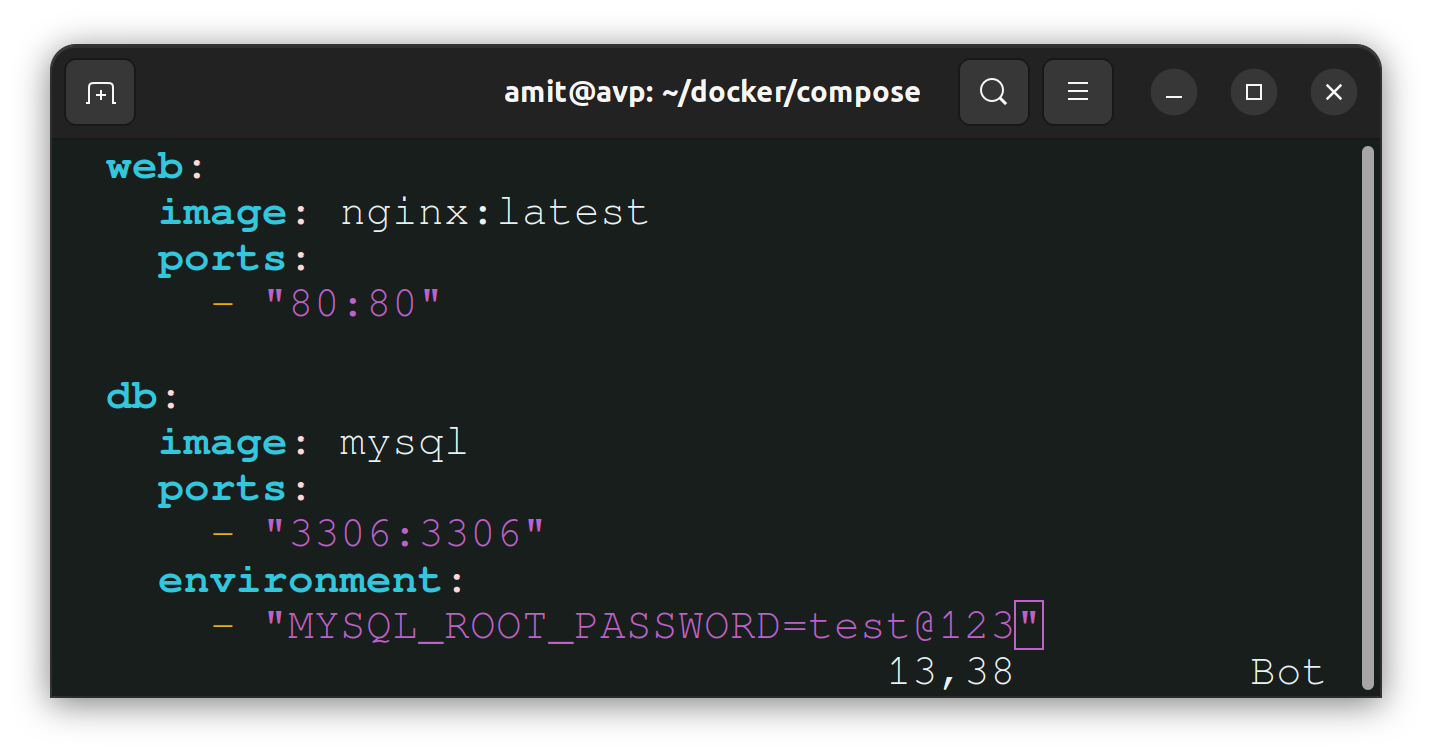
Let's look at the components of the above configuration file
version:- Specifies the version of docker-comose to be used
services:- To create a container specify a service with different parameters as shown.
image:- base image to create a container.
ports:- maps the port(s) of the container with the host's port(s).
environment:- To provide an environmental varial for the container use this parameter in that particular service.
build:- it builds images from Dockerfile.
volume:- mounts a host's directory with a directory in a container.
Task 2-
Pull a pre-existing Docker image from a public repository (e.g. Docker Hub) and run it on your local machine.
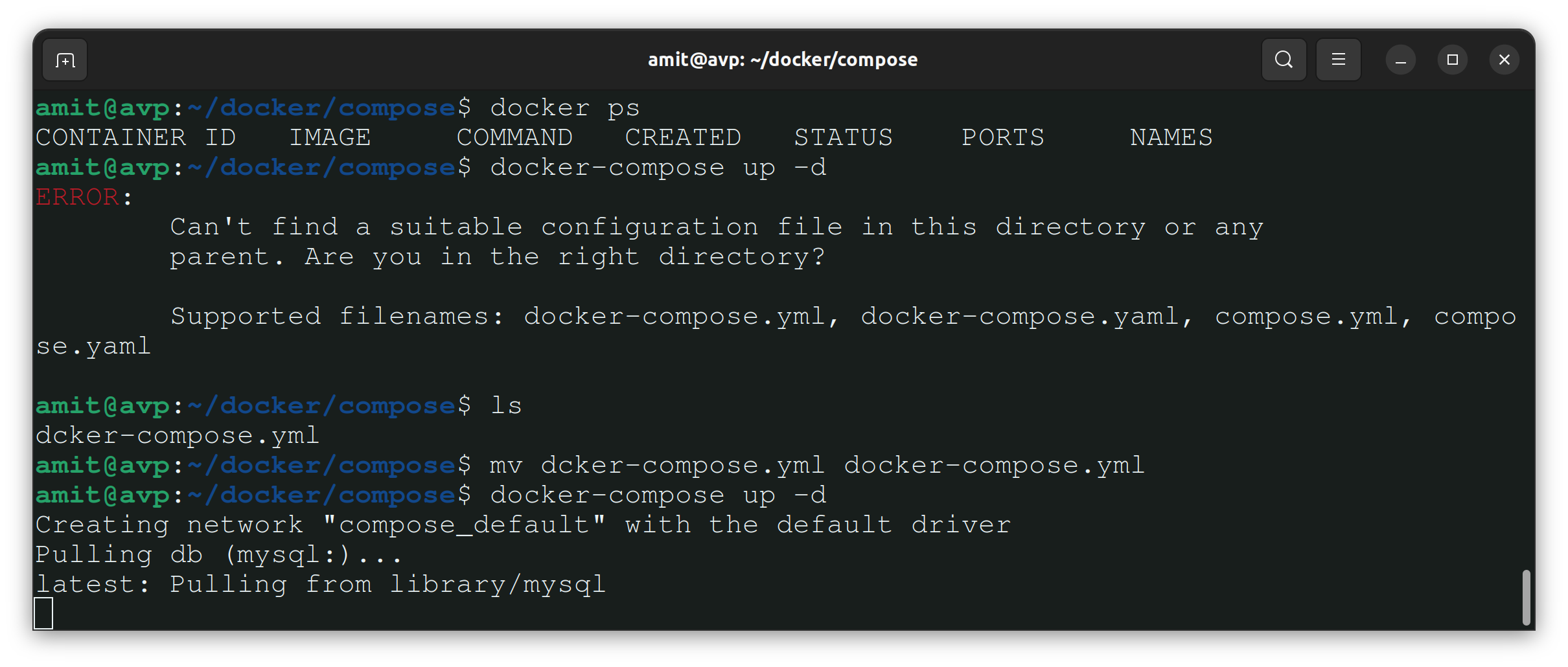
To run the container as a non-root user use usermod -aG docker $USER command and then reboot the system using the reboot command.
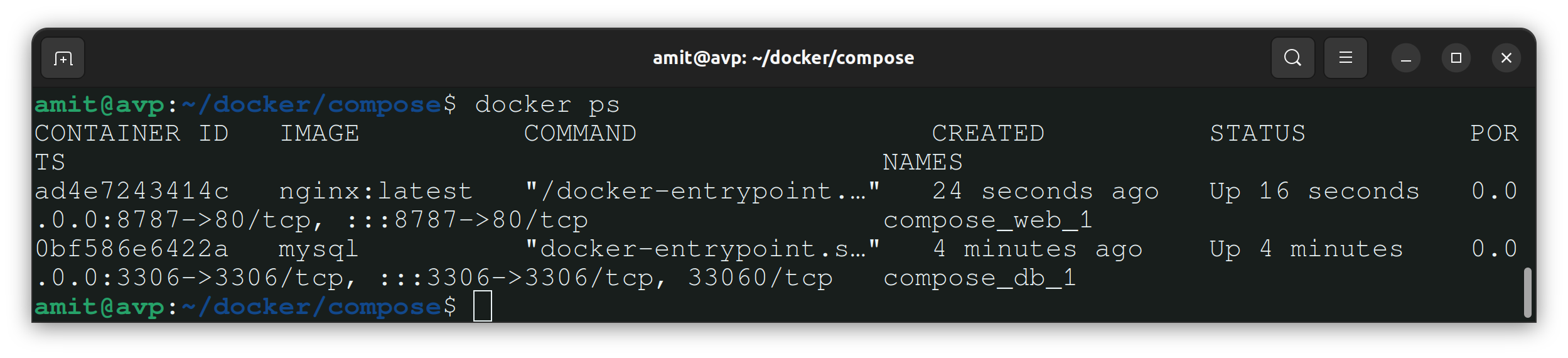
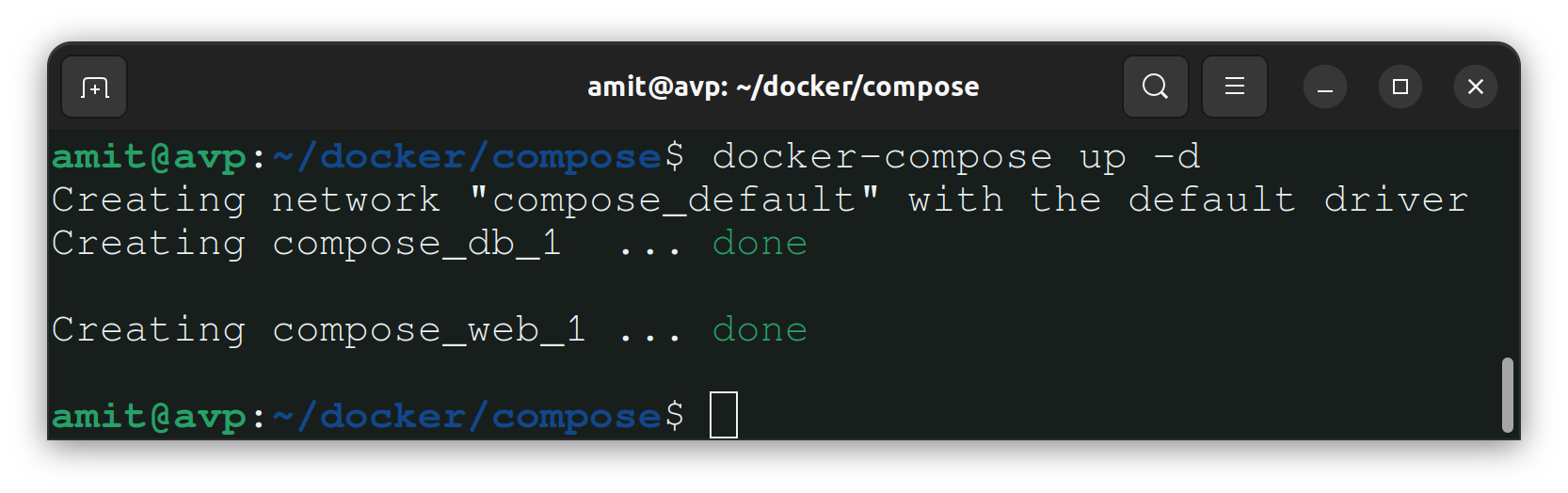
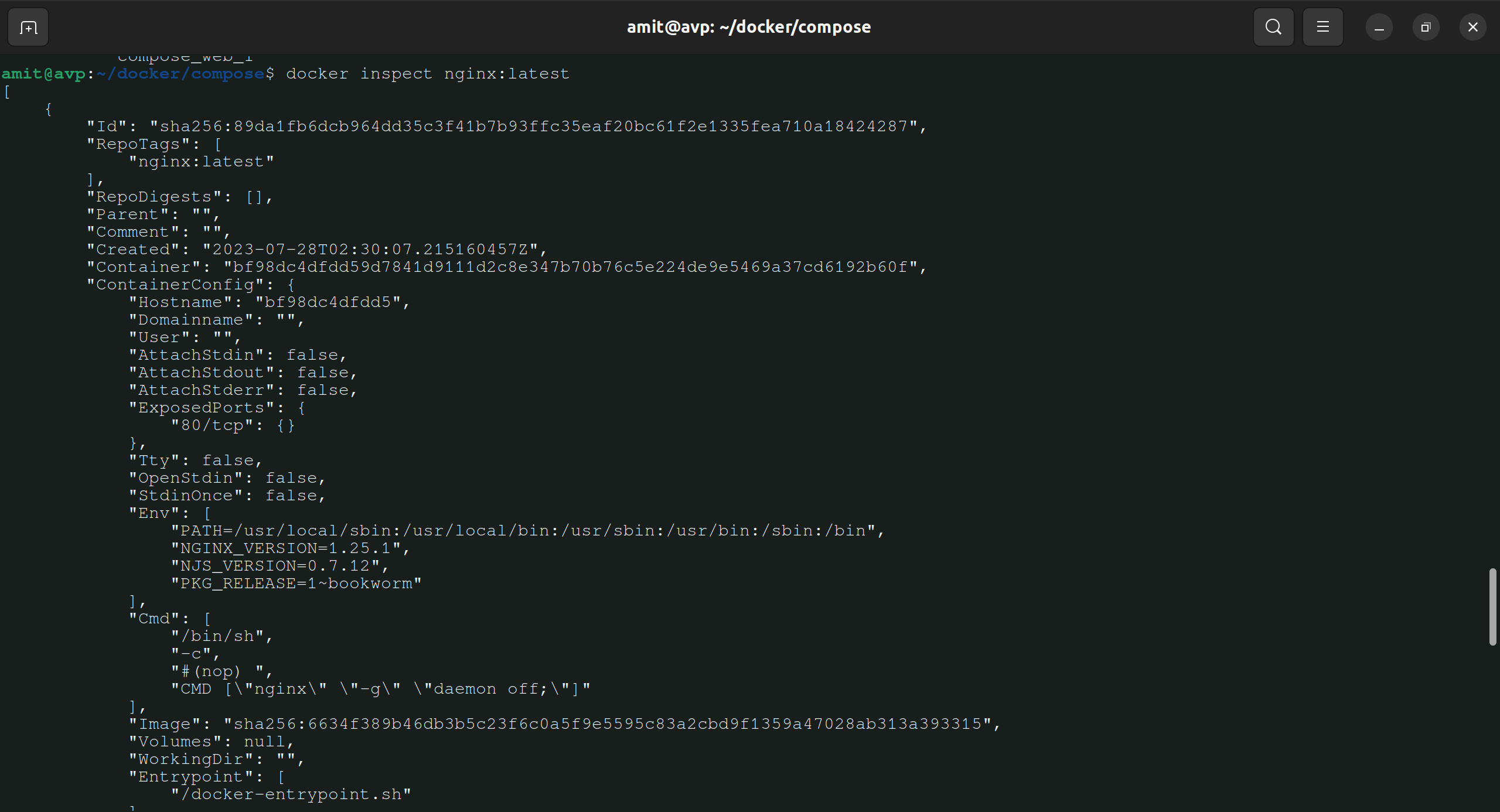
Inspect the container's running processes and exposed ports using the docker inspect command.
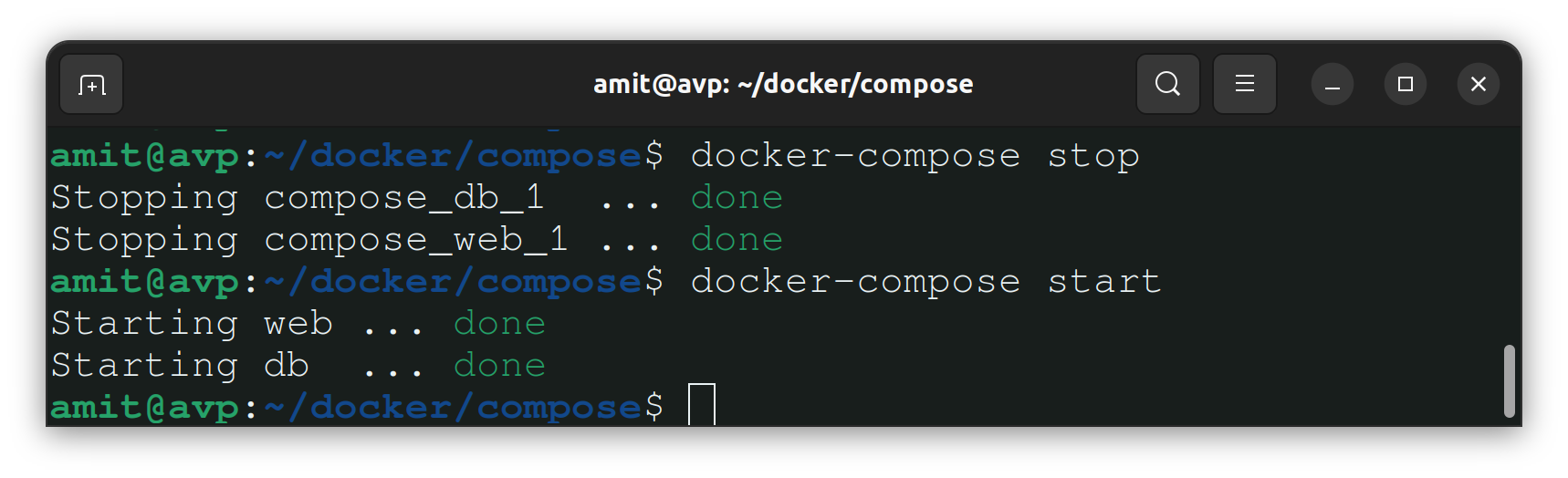
Use the docker stop and docker start commands to stop and start the container.
Note:- Observe the output of the docker-compose stop command and the docker-compose down command
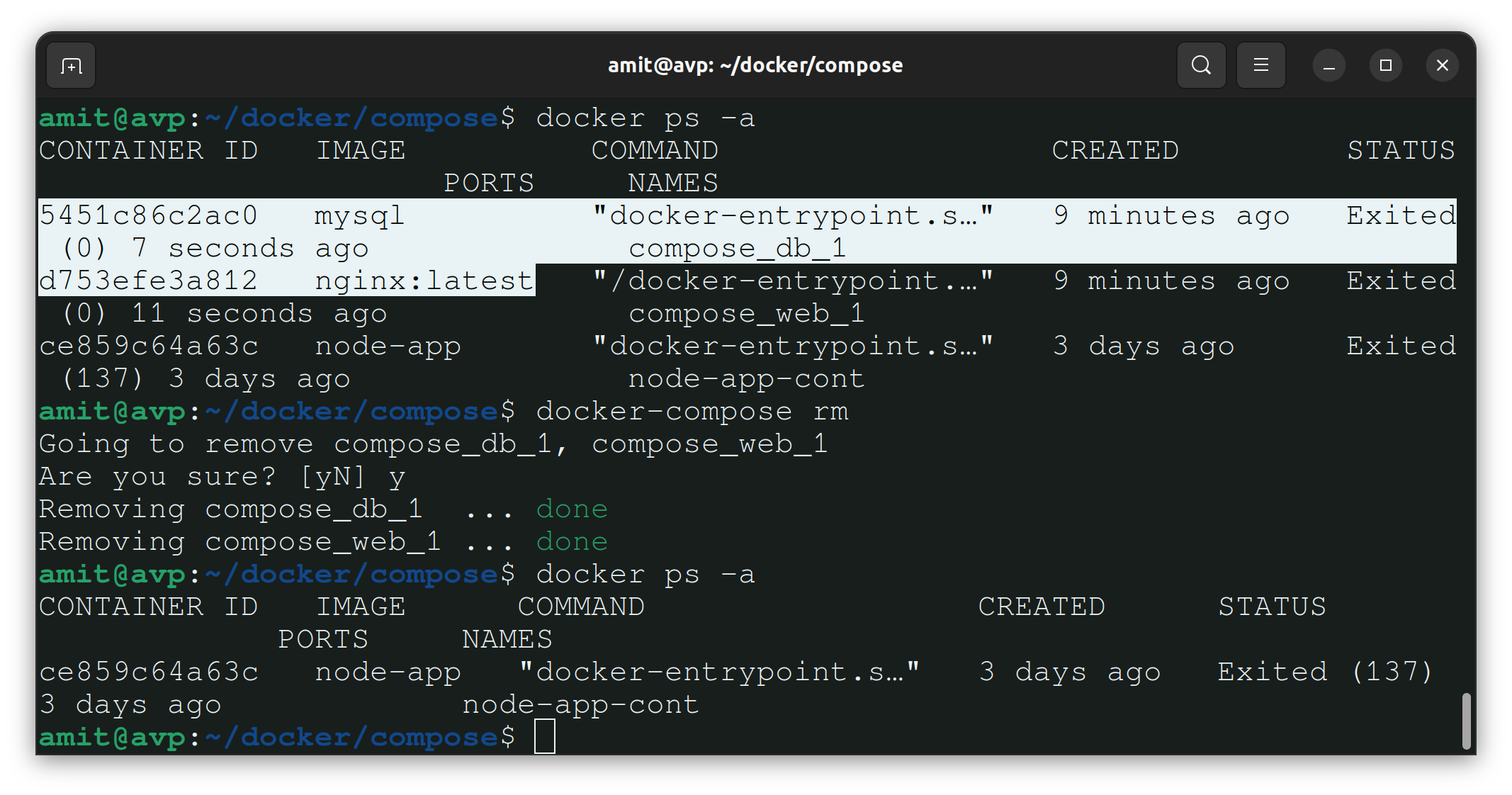
Use the docker rm command to remove the container when you're done.
We can remove the container only if it is stopped.
Thank you so much for taking the time to read till the end! Hope you found this blog informative.
Feel free to explore more of my content, and don't hesitate to reach out if need any assistance from me or in case of you have any questions.
Find me on:- Hashnode LinkedIn Github
Happy Learning!


