Day10- 90DaysOfDevOps
Advanced Git and GitHub for DevOps Engineers Part-1

Hey Learners! Welcome back, in this blog we'll learn about Advanced topics of Git and GitHub Part-1 and complete the Day 10 challenge of 90DaysOfDevOps. Let's deep dive into it.
Git Branching:-
A Branch represents different isolated versions of a code. Branches serve as an abstraction for the edit/stage/commit process. Each repository has one default branch and can have multiple other branches. You can merge a branch into another branch using a pull request or merge command.
Branches allow you to develop features, fix bugs, or safely experiment with new ideas in a contained area of your repository.
Git Revert and Reset:-
Two commonly used tools that git users will encounter are git reset and git revert. The benefit of both of these commands is that you can use them to remove or edit changes you’ve made in the code in previous commits.
Git Revert:- With this command, we can undo specific commits by creating a new commit that reverses the changes introduced in the original commit. It allows you to safely remove unwanted changes from the version history while preserving the commit history.
Git Reset:- This command is used to undo commits, discard changes, or unstaged files from the staging area. It can rewrite history and potentially lead to data loss. There are different modes of reset including Soft, Mixed, and Hard. Each has varying degrees of impact on the working directory and staged changes.
Git Rebase and Merge:-
Git Rebase:- This command is used to incorporate changes from one branch to another by moving or combining commits. It replays the changes of the current branch on top of another branch, creating a linear history. This command helps to keep the commit history clean and makes it easier to manage changes.
Git Merge:- This command is used to combine changes from one branch to another. It integrates the commit history of one branch with another, creating a new merge commit that combines the changes from both branches, preserving a separate commit path.
Task 1-
Create a file in Devops/Git/version01.txt with "This is first feature of our application” content with the following command. (already in Devops repository)
echo "This is first feature of our application” > Git/version01.txtStage this unstaged file with
git add .commandNow track this untracked file with
git commit -m "Added New Feature"command.Push the changes to the remote repository using
git push origin <master/main>command.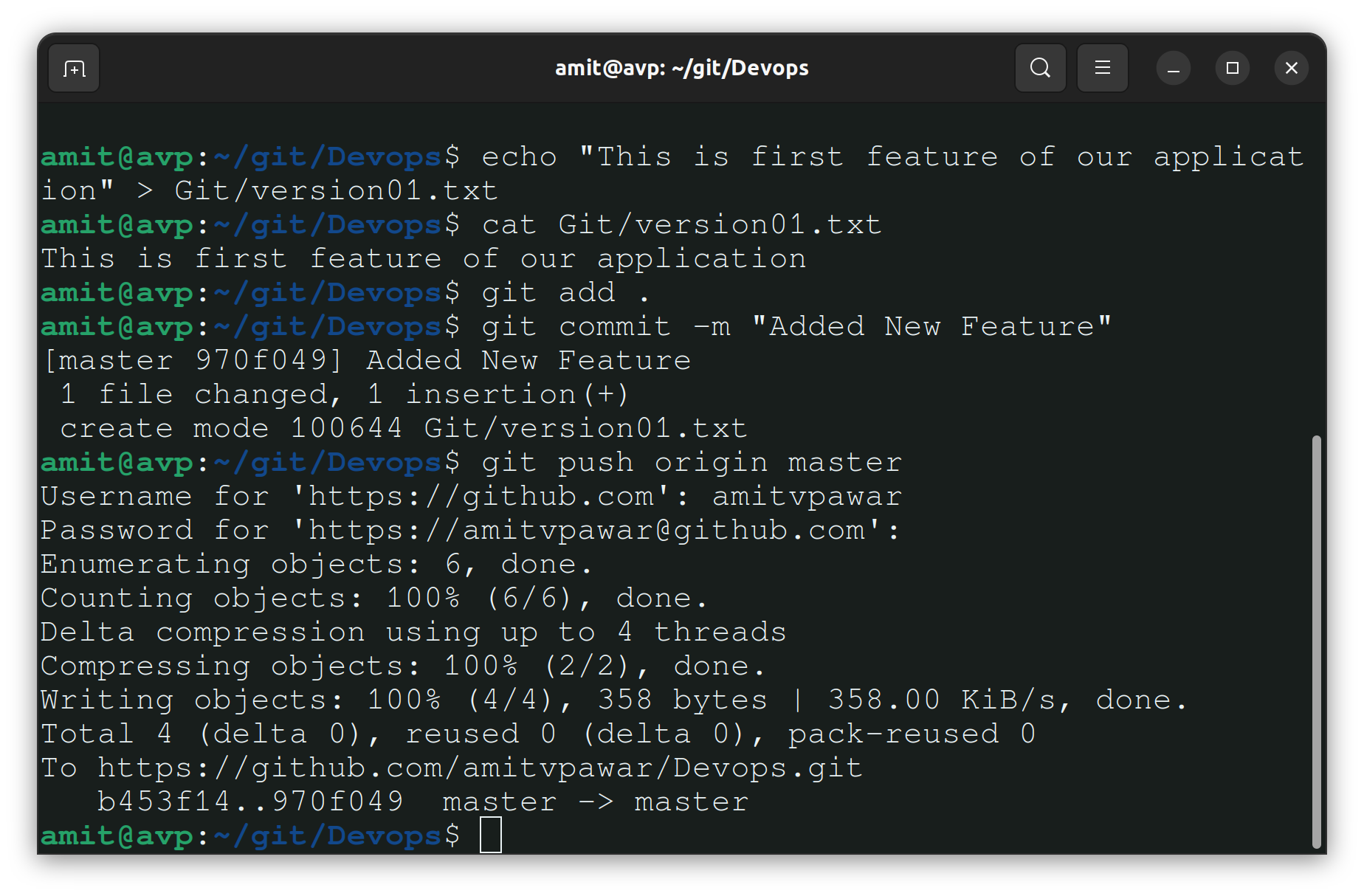
Create a new branch and switch to that branch at the same time using
git checkout -b devcommand. Check the created branch withgit branchcommand.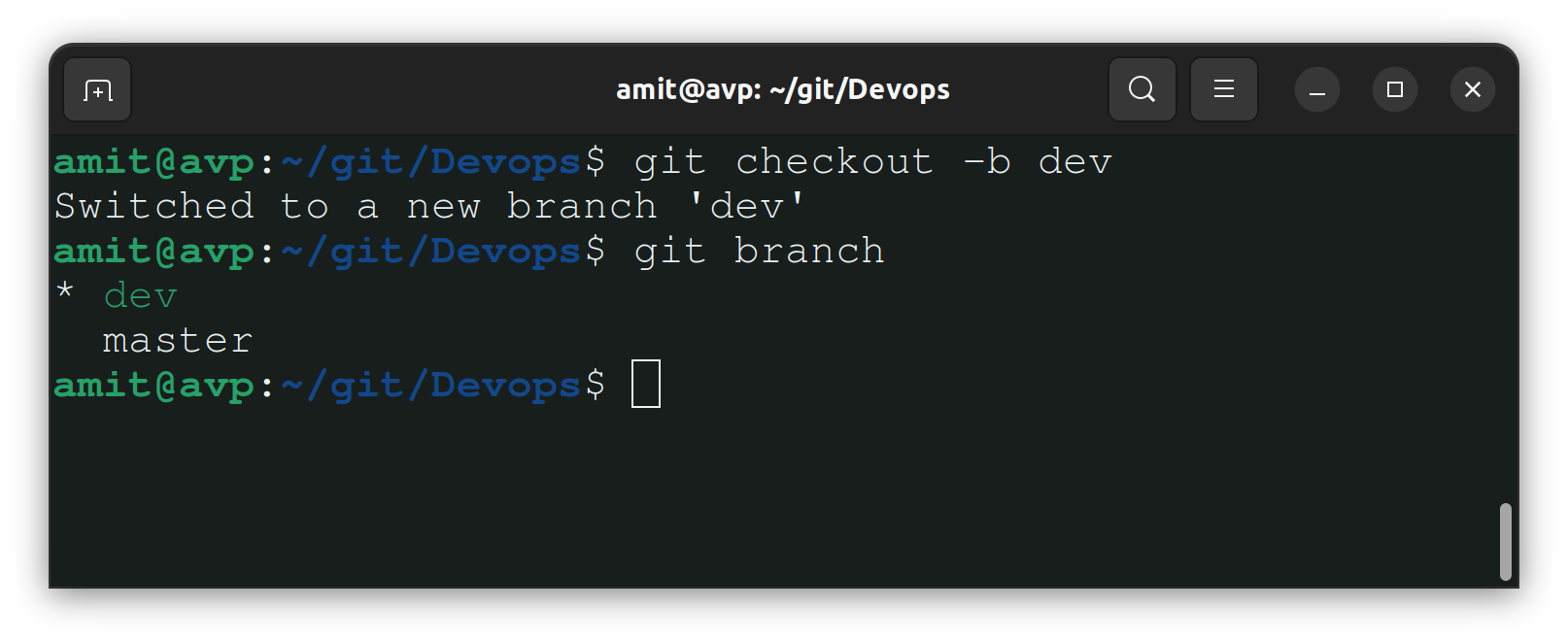
Task 2-
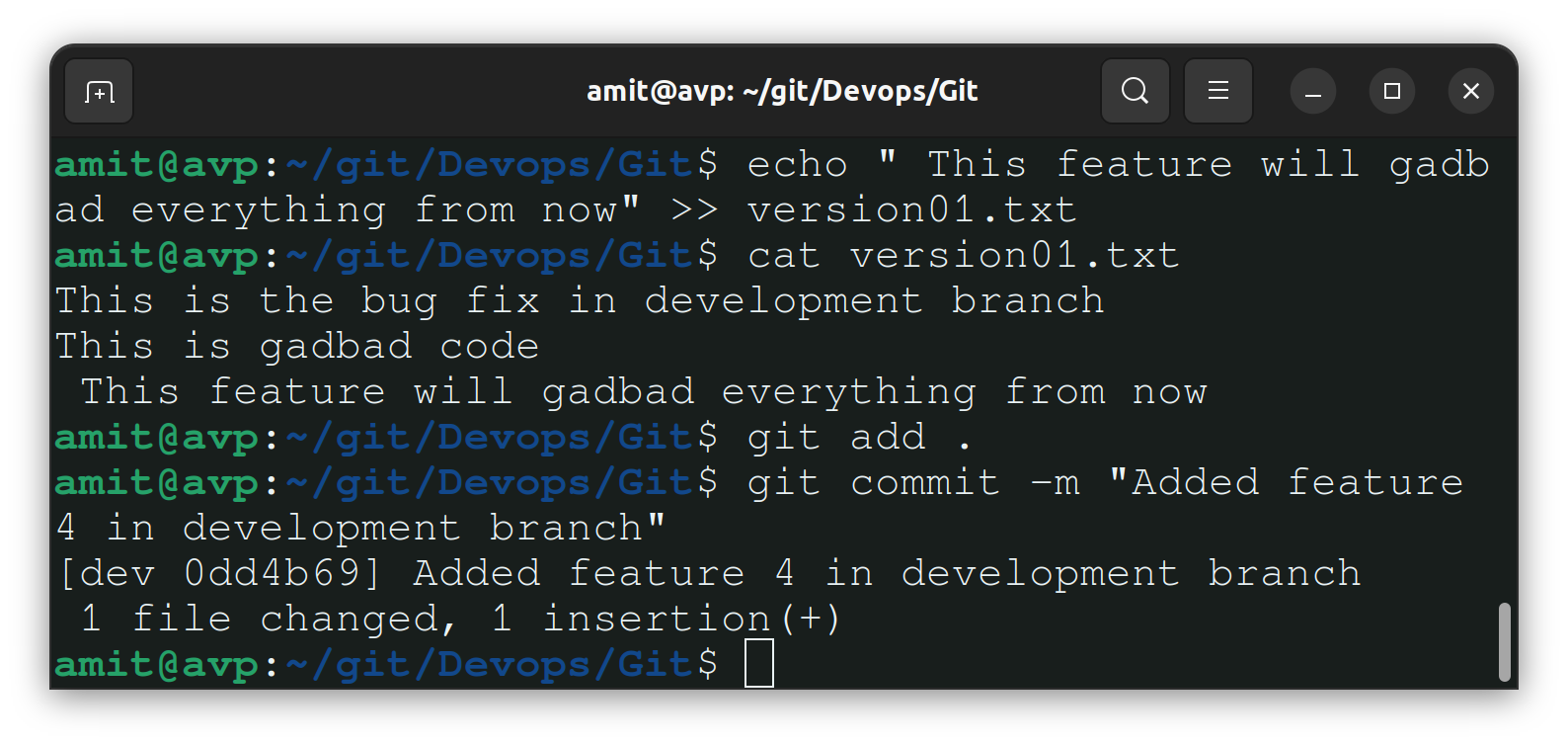
Make the below changes in the "version01.txt" file and track the changes in the dev branch.
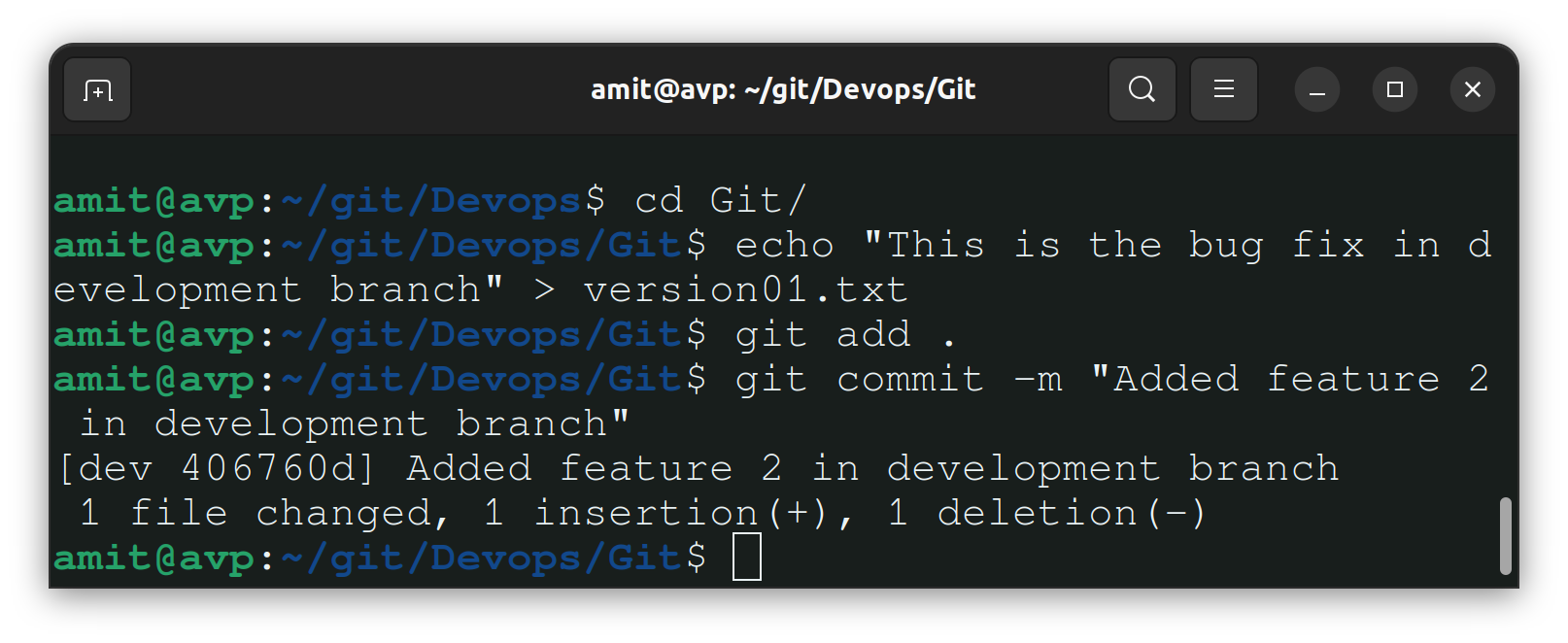
Now add the 2nd line and track the changes.
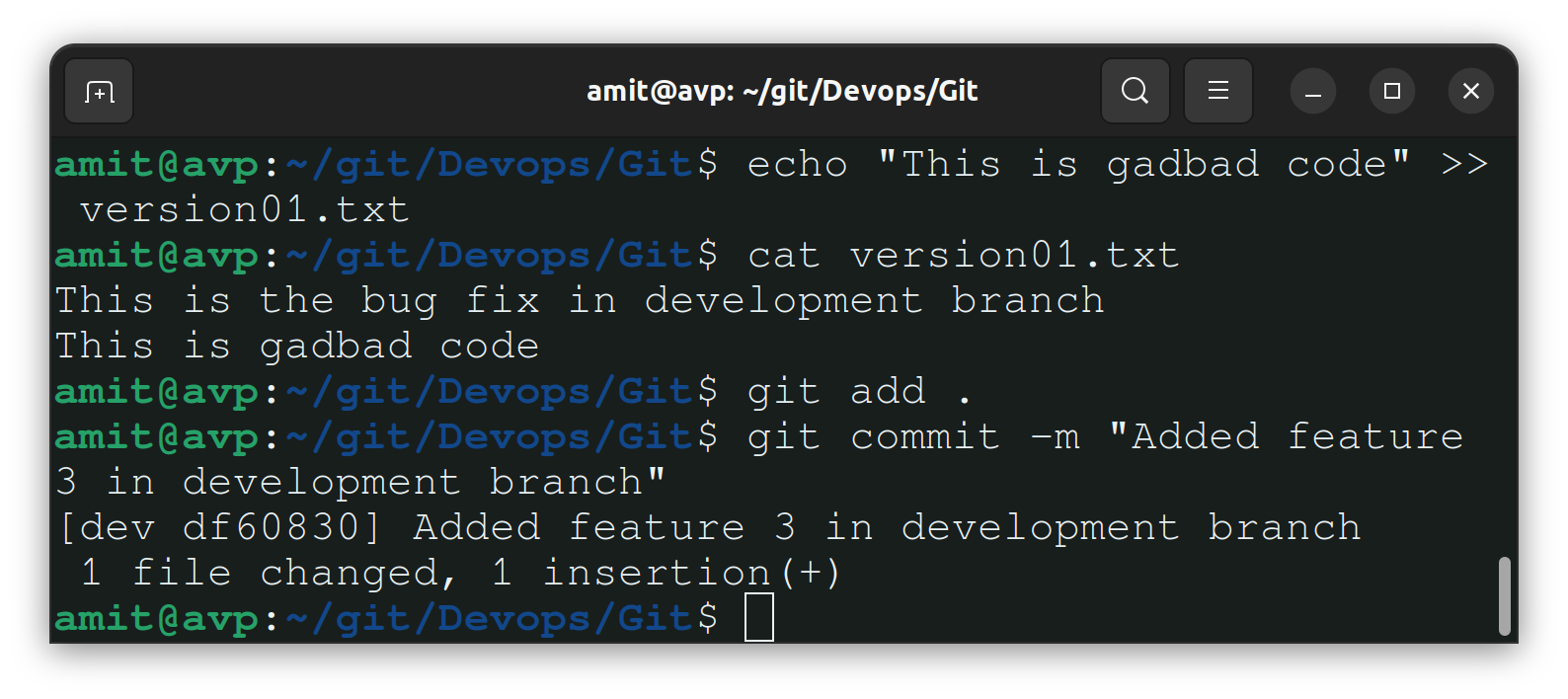
Add 3rd Line and track the changes.
Task 3-
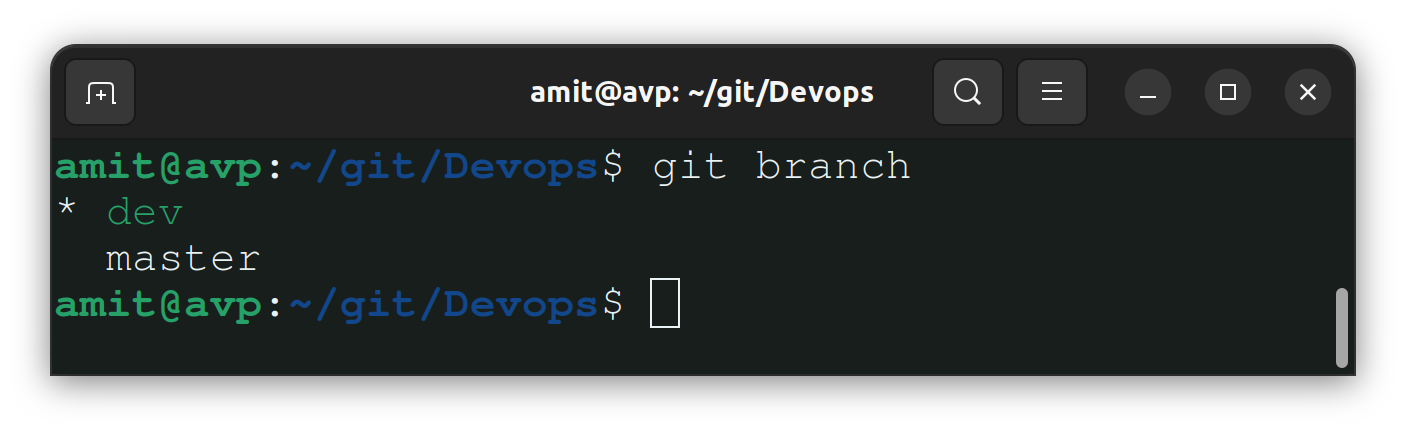
We have 2 branches (In this case master and dev). Check the branches with the "git branch" command.
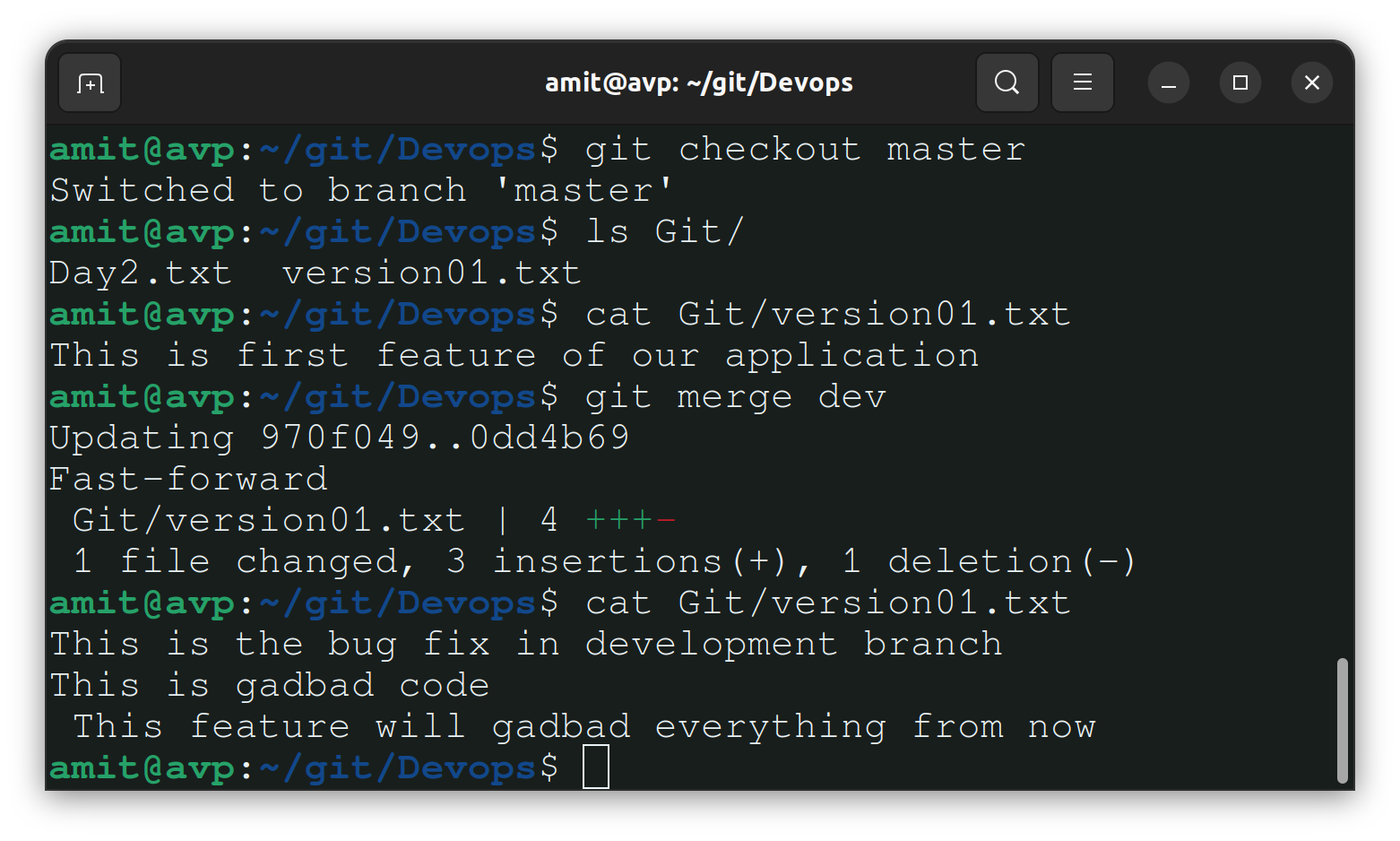
Now we'll merge the "dev" branch to "master" using the git merge dev command.
Note:- Before merging check the details about the master branch.
Thank you so much for taking the time to read till the end! Hope you found this blog informative and helpful in understanding the advanced concept of Git And GitHub.
Feel free to explore more of my content, and don't hesitate to reach out if need any assistance from me or in case of you have any questions.
Find me on:- Hashnode LinkedIn Github
Happy Learning!


